 Checkcraft
API testing for systems analysts from requirements
Get help with your first test →
A document defines a total, but one response does not show whether the calculation is correct. Make the requirement testable with an agreed example.
Make the calculation testable
For this exercise, total equals the sum of every item amount. Values 100 and 200 should produce 300. Agree currency, discounts and rounding separately. Field names and an OpenAPI document do not automatically establish business rules.
{"items":[{"amount":100},{"amount":200}],"total":300}Repeat the supplied check
Import calculation.testcase.json in the test-case editor. Run the passing JSON, then the failing sample without changing the rule. The files below include captured text reports for comparison.
Check structure and contract
Validate the type of total, whether items is required and what an empty array means separately from arithmetic. OpenAPI import prepares requests; it does not prove full contract compliance. Review AI-generated drafts and boundary cases against actual requirements.
Share an actionable discrepancy
Include the input, expected 300, actual total and requirement version. Attach the operation trace ID if logs are available. Database reconciliation is a separate Pro workflow. Response field assertions are not a complete consumer-driven contract testing process.
Repeat the sample
The quick experiment below runs in the test case editor. The screenshots show the detailed report available in HTTP run or Log run. For HTTP run, return the sample JSON or XML from a local mock and run the imported case against it, then open Results, Details and With structures. For Log run, load the sample into a log source, enable No request, run the case, then open Details and Detailed.
These are existing synthetic fixtures and captured text reports, not a customer deployment.
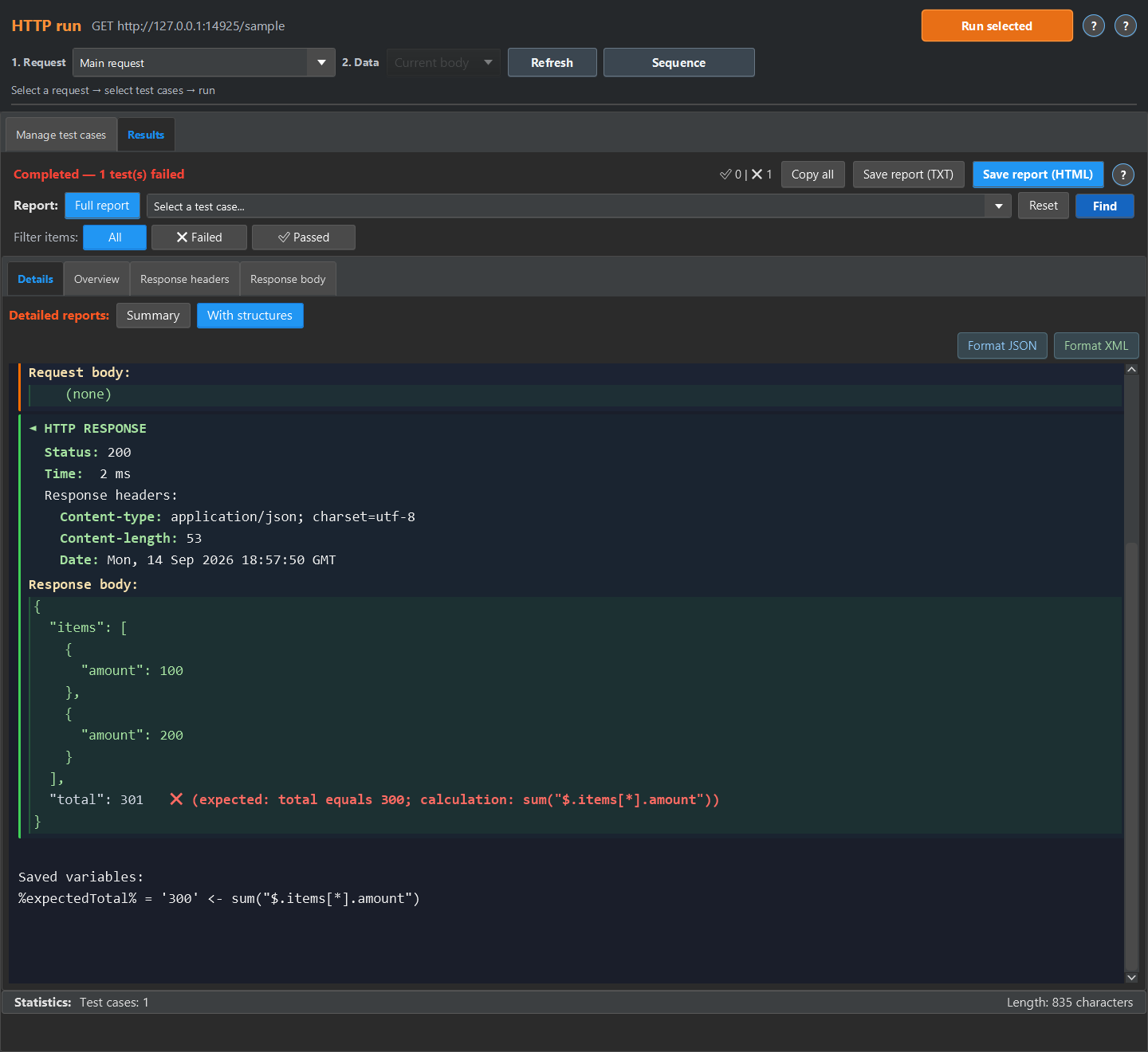
Start with the linked example and compare its result with your own test requirement.