 Checkcraft
Checkcraft security and data handling
Security claims should describe observable behavior. Running a check locally, connecting to an API and signing in to obtain a license are different operations with different data flows.
You can separate the offline example, configured service connections and account operations before deciding how to use the application.
Start with the offline example
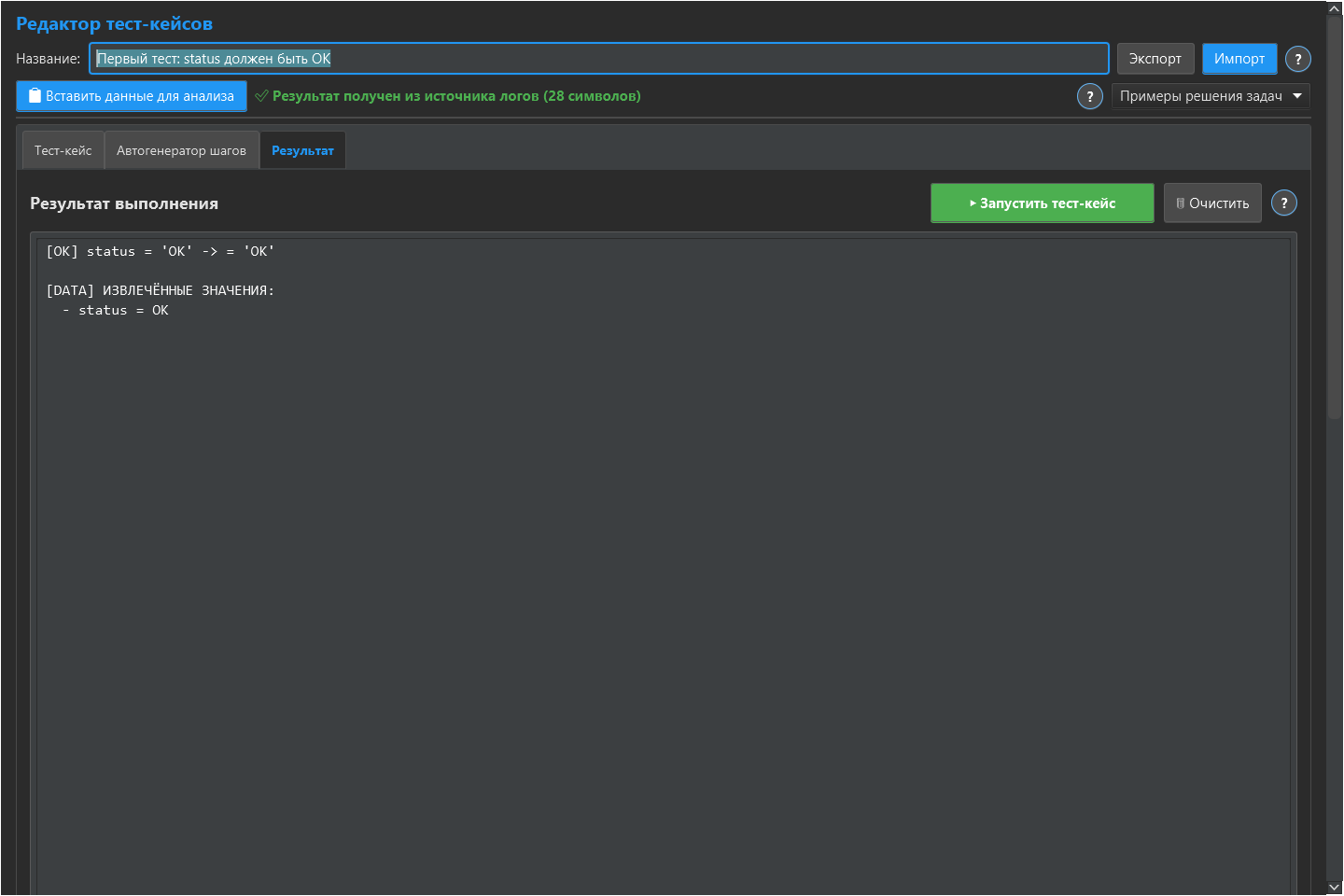
The downloadable test case can run on pasted JSON without connecting to your API or log source. Use synthetic data first. This demonstrates local rule execution; it does not establish that the entire application never connects to a network.
Identify the connections you configure
HTTP requests go to the URL you select. Log searches connect to the configured source. Account, license and update operations require their own services. The bundled AI model runs locally, while any request you later execute still uses its configured destination. Review the privacy policy for account data handling.
Check the build and avoid unsupported guarantees
Compare a downloaded archive with the published SHA-256 when you need to detect a corrupted or different file. A checksum on the same compromised site would not independently prove who published it. Use synthetic examples for sharing, inspect support attachments before sending them and follow your organization’s software approval process. No independent security audit is claimed on this page.
Repeat the check with ready-made files
Download the Checkcraft test case and two inputs. One input is valid, and the other contains a deliberate error. These synthetic examples are available without registration.
Run the example in Checkcraft
Create a collection, a check and a test case using the workspace tree context menu. Click Import in the test case editor and choose the downloaded test case. Open the added case, copy the valid JSON, click Paste data for analysis, then Run test case. Open Result to inspect the report.
Repeat with the broken JSON without changing the rules. The first run should pass and the second should fail. If you see a different outcome, check the selected data source, imported steps and report.
The example files were executed against the application source on 14 September 2026. Reference reports recorded in Russian are available for the passing run and failing run. Sample names and literal data values do not change when you switch the interface language.
See the privacy policy, license agreement and publisher details.
See the result on a small example first
Start with the sample, inspect the failure and then try a sanitized example from your own API. Free (beta) is available for Windows and Linux with no time limit.
Get Free (beta)Download and first runAn account and verified email are required to obtain the build. See the edition limits.