 Checkcraft
Automate API and log checks with Kibana
An API can return 200 while a later operation fails inside a service. Looking only at the response can miss the problem. Correlating the request with its logs gives the test another observable result.
The request identifier selects the operation to inspect, and saved rules validate fields from the matching log data.
Connect the request to the log source
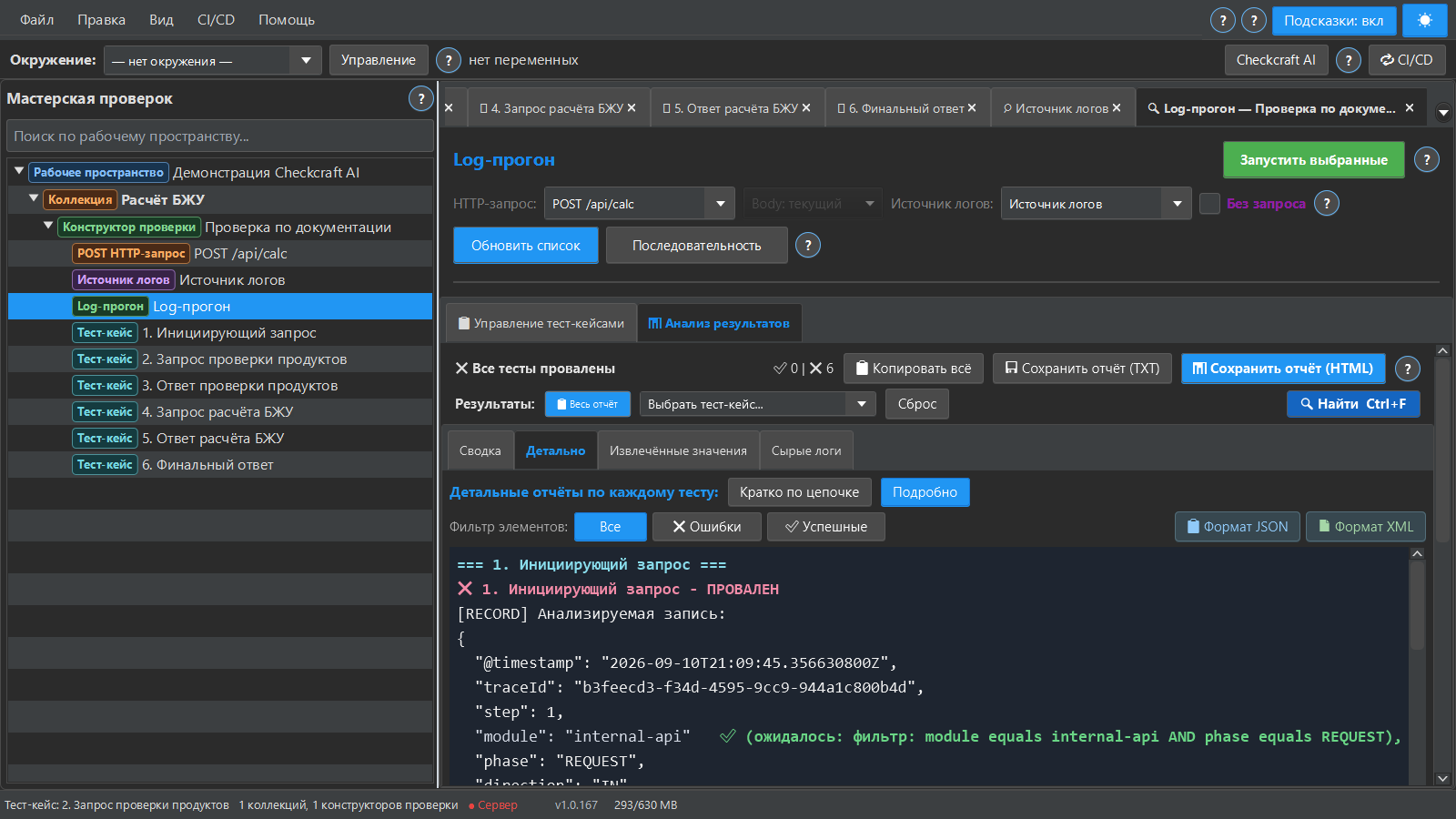
Configure the HTTP request and identify the response header or field that contains the trace identifier. Set the extraction variable and the target log source. The identifier value should travel between the request and log search; the header name itself is not the search value.
Select the right log entries
Configure Kibana Proxy or Elasticsearch Direct for the source you actually use. Set the index, trace field and time window. Use filters such as service and phase when one trace contains several events. Inspect the raw result before writing rules.
Keep the report understandable
A log run combines a request, a log source and selected test cases. Extract embedded JSON before checking its fields when the log stores the body as a string. JSON field/log source rules make the checked value visible in the log report. The downloadable example below lets you practice those checks locally first.
Repeat the check with ready-made files
Download the Checkcraft test case and two inputs. One input is valid, and the other contains a deliberate error. These synthetic examples are available without registration.
Run the example in Checkcraft
Create a collection, a check and a test case using the workspace tree context menu. Click Import in the test case editor and choose the downloaded test case. Open the added case, copy the valid JSON, click Paste data for analysis, then Run test case. Open Result to inspect the report.
Repeat with the broken JSON without changing the rules. The first run should pass and the second should fail. If you see a different outcome, check the selected data source, imported steps and report.
The example files were executed against the application source on 14 September 2026. Reference reports recorded in Russian are available for the passing run and failing run. Sample names and literal data values do not change when you switch the interface language.
See the result on a small example first
Start with the sample, inspect the failure and then try a sanitized example from your own API. Free (beta) is available for Windows and Linux with no time limit.
Get Free (beta)Download and first runAn account and verified email are required to obtain the build. See the edition limits.