 Checkcraft
API regression testing and response comparison
Get help with your first test →
An API response changed after an update. Did the order total break, or did only the time and request ID change? Compare the same operation across releases and keep the assertions for the next run.
Prepare comparable runs
Keep the scenario, dataset rows and expected values. Run it against v1, then v2 under the same conditions. Checkcraft Pro history matches results by scenario and data row identity. Separately recreated scenarios may appear as additions and removals, so preserve their identity.
Record the response before the update
This JSON is an illustrative example, not a response from a customer system. The agreed total equals the sum of the two item amounts, so the baseline is 2000. Save the baseline run and release label. Changes to inputs, discounts or currency require a separate expected result.
{"orderId":"ORD-1042","requestId":"run-a","timestamp":"2026-10-10T09:00:00Z","items":[{"amount":1200},{"amount":800}],"total":2000}Compare the JSON response after the release
The second illustrative response changes requestId, timestamp and total. A new time and request ID are allowed in this example. A total of 2500 with unchanged items needs investigation. A difference from the old version alone is not proof of a defect; check the requirement.
{"orderId":"ORD-1042","requestId":"run-b","timestamp":"2026-10-11T09:00:00Z","items":[{"amount":1200},{"amount":800}],"total":2500}Exclude requestId and timestamp from comparison
In Pro, open run history and comparison and select two runs of the same scenario. Enter the paths below, separated by a comma, in the ignored-paths field and compare. These exclusions affect JSON value comparison. They do not disable saved assertions or hide a failed run. Keep separate assertions if the identifier or timestamp is itself part of a requirement.
$.requestId, $.timestampRead the changed field
For the two responses above, those exclusions leave $.total changing from 2000 to 2500. Check the sum assertion and save the comparison as HTML. Include the API versions, inputs and expected value in the bug report. Built-in history comparison requires Pro. The fixtures below demonstrate the separate task of rerunning a saved assertion and inspecting its result.
Account for arrays and response formats
JSON objects are compared by fields, while arrays are compared by index. Reordering an array can produce differences without changing its members. Decide whether order matters under the contract. This does not promise automatic matching by a business key. XML and other text are compared as a whole; JSON path exclusions do not apply.
Repeat after the fix
Rerun the same assertions on the corrected version. Changing the expected 2000 to 2500 merely to obtain a pass does not verify the fix. For operations creating orders or payments, arrange test data and cleanup before repeating POST requests. Response comparison does not remove write side effects.
Keep a regression set for the team
Postman, code-based tests and an AI-assisted script can also compare responses. Choose a workflow the team can reproduce and correlate with operation logs. Checkcraft Pro shared rule blocks are versioned, with explicit acceptance of updates. Export a CI/CD bundle for a pipeline and configure schedules in your CI system.
Repeat the sample
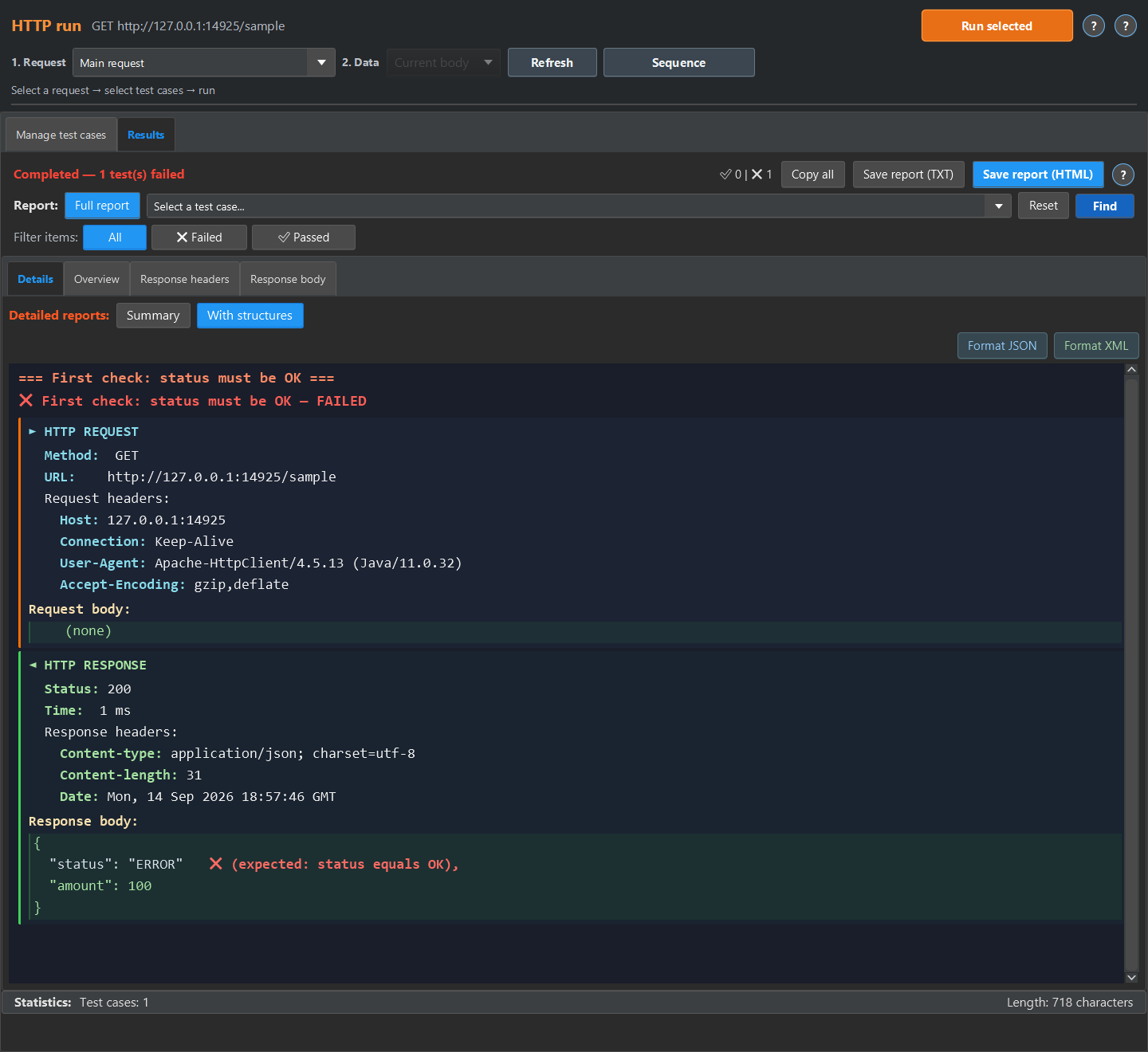
The quick experiment below runs in the test case editor. The screenshots show the detailed report available in HTTP run or Log run. For HTTP run, return the sample JSON or XML from a local mock and run the imported case against it, then open Results, Details and With structures. For Log run, load the sample into a log source, enable No request, run the case, then open Details and Detailed.
These are existing synthetic fixtures and captured text reports, not a customer deployment.
Start with the linked example and compare its result with your own test requirement.