 Checkcraft
Start from data you already have
Use a cURL request, an OpenAPI description or a JSON example. The first sample works with synthetic data, so you can inspect the result before connecting your services.
Import a request →Check response fields, XML and the matching logs. Save the expected result once and repeat the same checks after a change.
Windows and Linux · Free with no time limit · No payment card
Download directly, no account or email needed. Bought Pro? Sign in
This response came back with HTTP 200. Press the button and see what the rules catch: this is real logic running in your browser.
Each example includes sample data and an explanation of the result. You can explore them before downloading.
A status code tells you whether the server answered. Your saved rules tell you whether the answer matches the requirement.
Use a cURL request, an OpenAPI description or a JSON example. The first sample works with synthetic data, so you can inspect the result before connecting your services.
Import a request →Choose required fields, allowed keys and expected values. Check every array item or calculate the total that the service should return.
Check 1000 array items →Use the trace identifier to find the related records. Extract embedded JSON and keep the log rules alongside your request checks.
Connect API and log checks →Current Checkcraft screenshots using sample data. Select a task, inspect the configuration and open the walkthrough.
Method, URL and JSON were imported into request fields. This sample uses localhost; no external service request was sent.
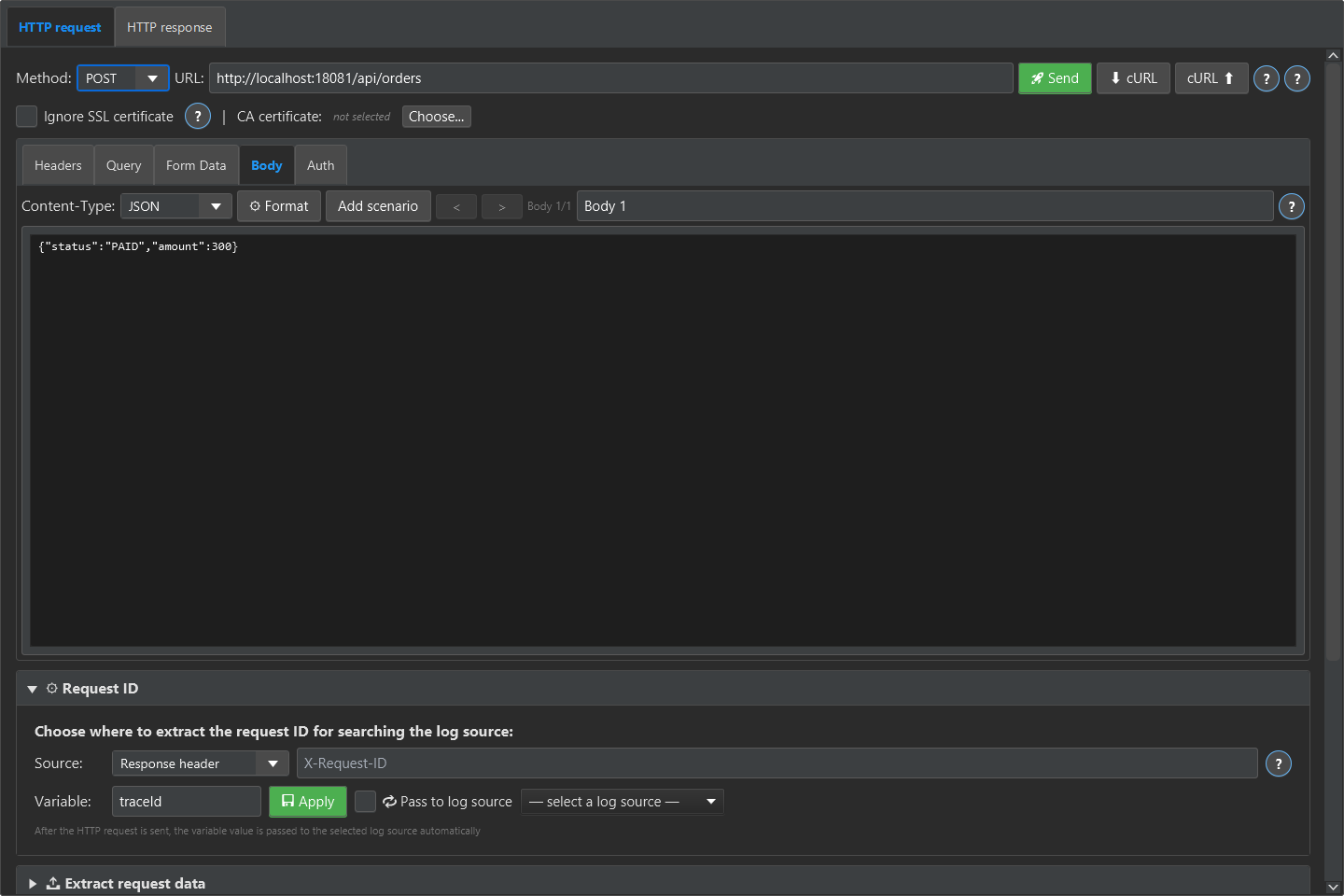
Follow the worked example →Click the screenshot for full size
Checkcraft AI prepared a draft from JSON. This example used structured parsing without calling a language model. Review and edit the expectations before use.
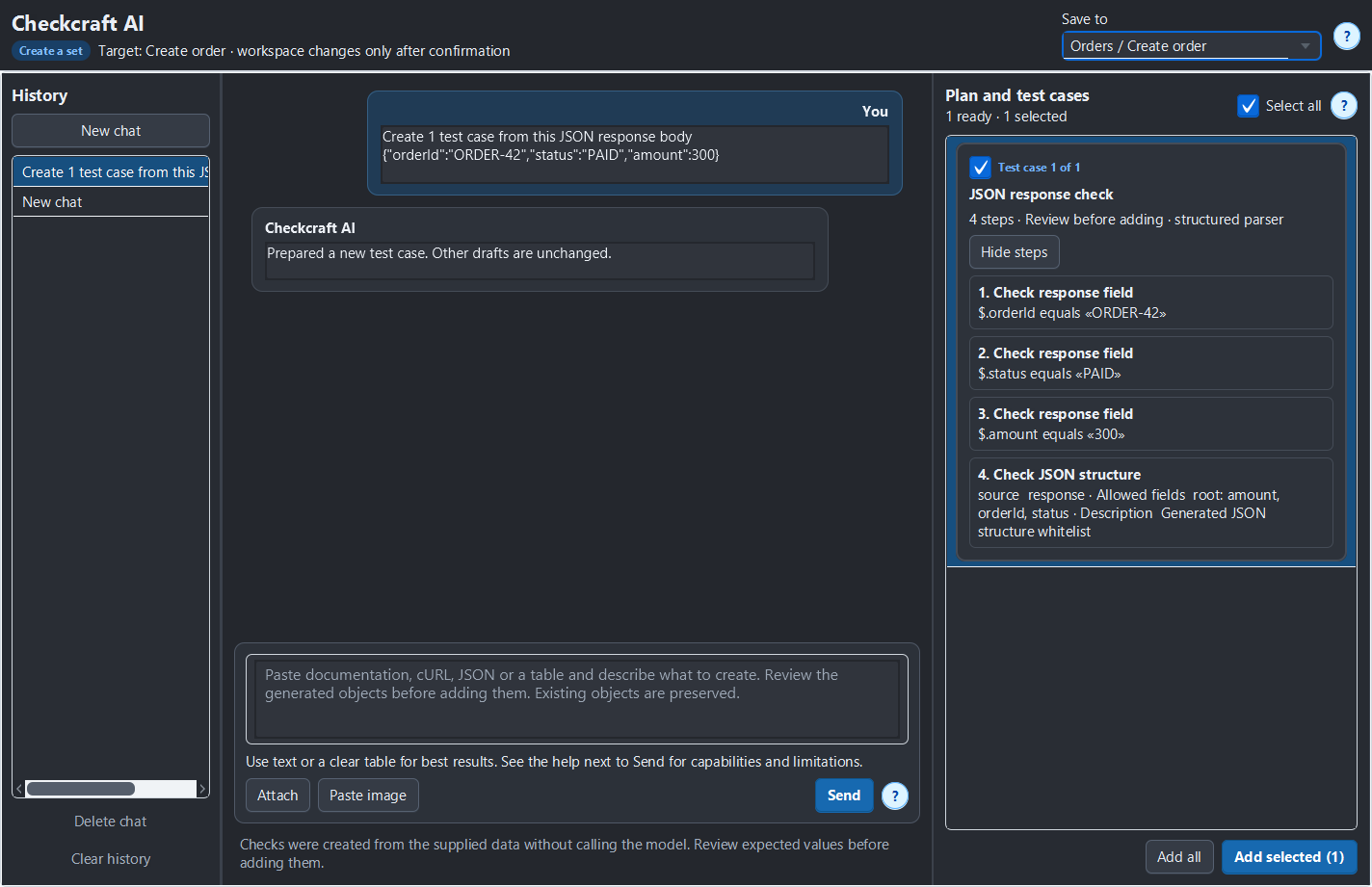
Follow the worked example →Click the screenshot for full size
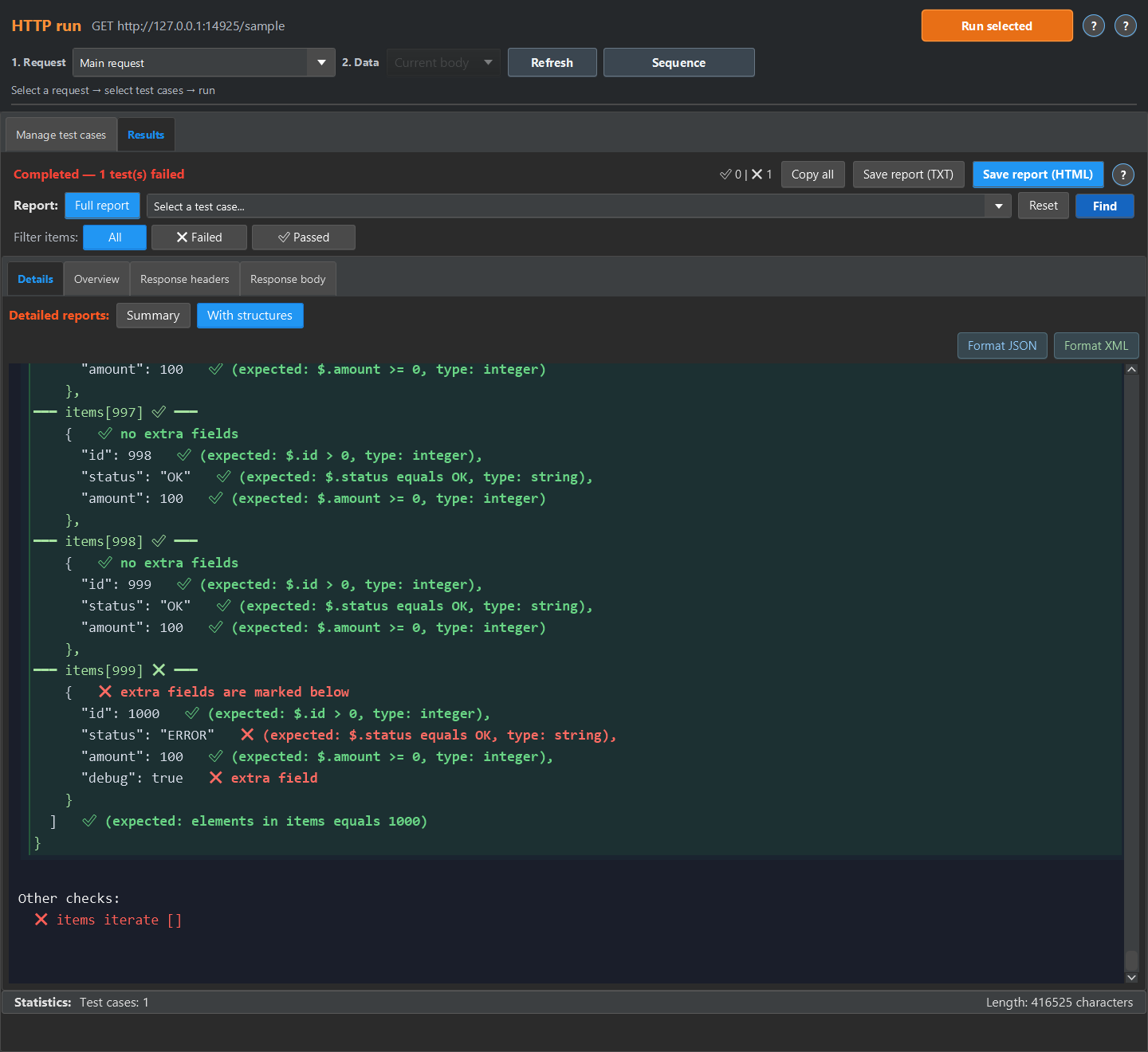
The loop applies nested rules to every array item. The sample contains 1,000 objects with an error in the last one.
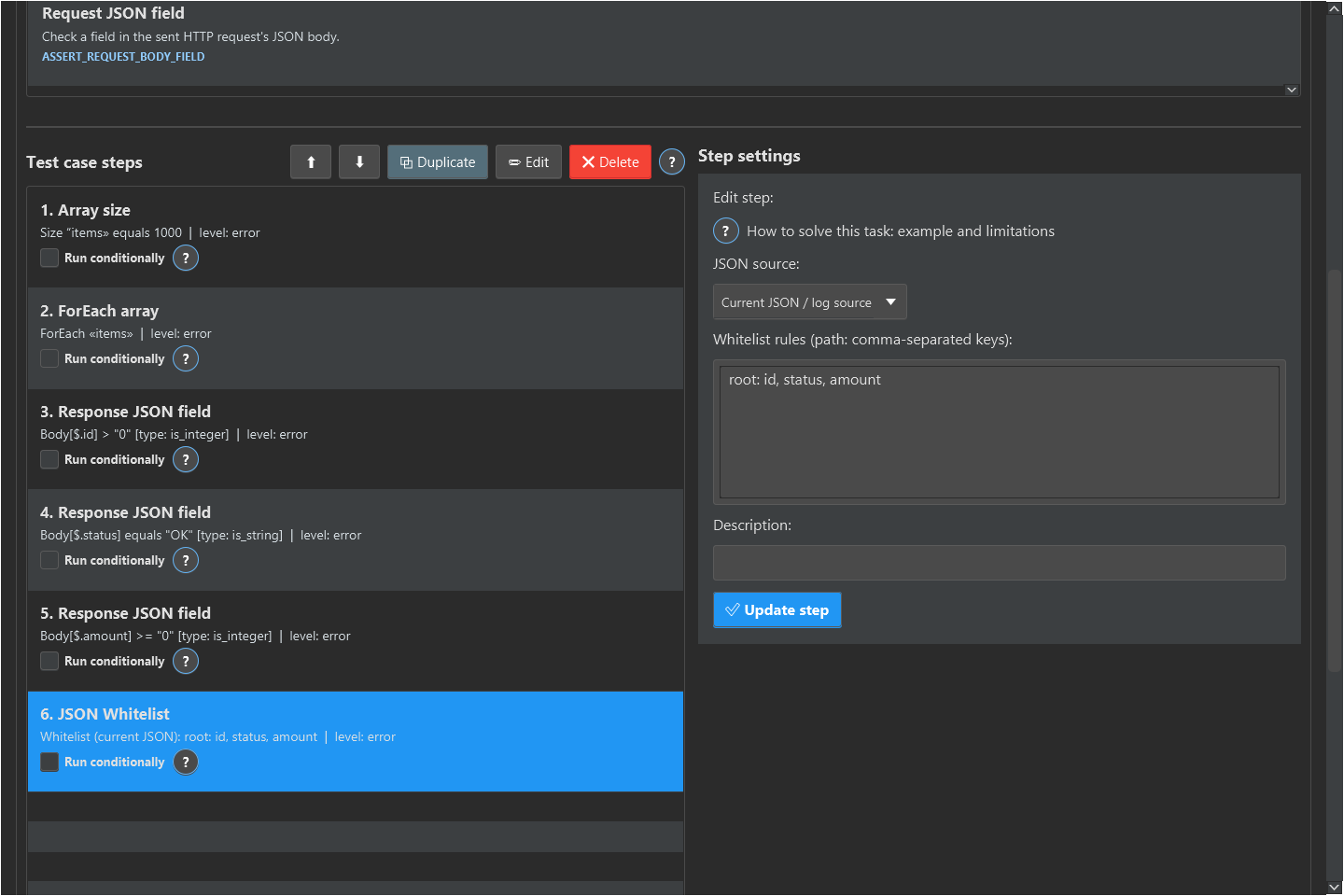
Follow the worked example →Click the screenshot for full size
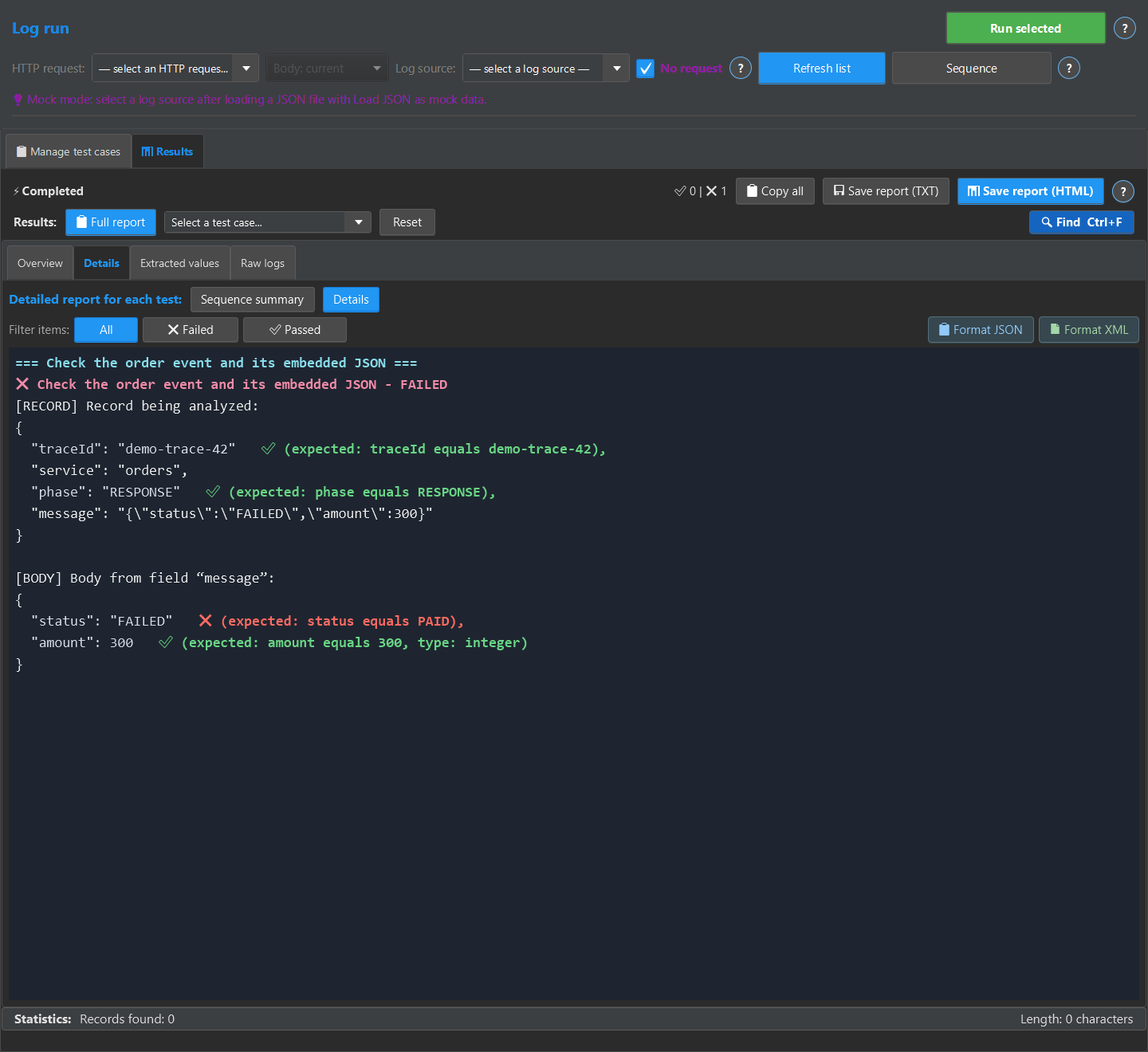
Select a record by traceId, extract JSON from message and check its fields. The screenshot uses a local sample log record.
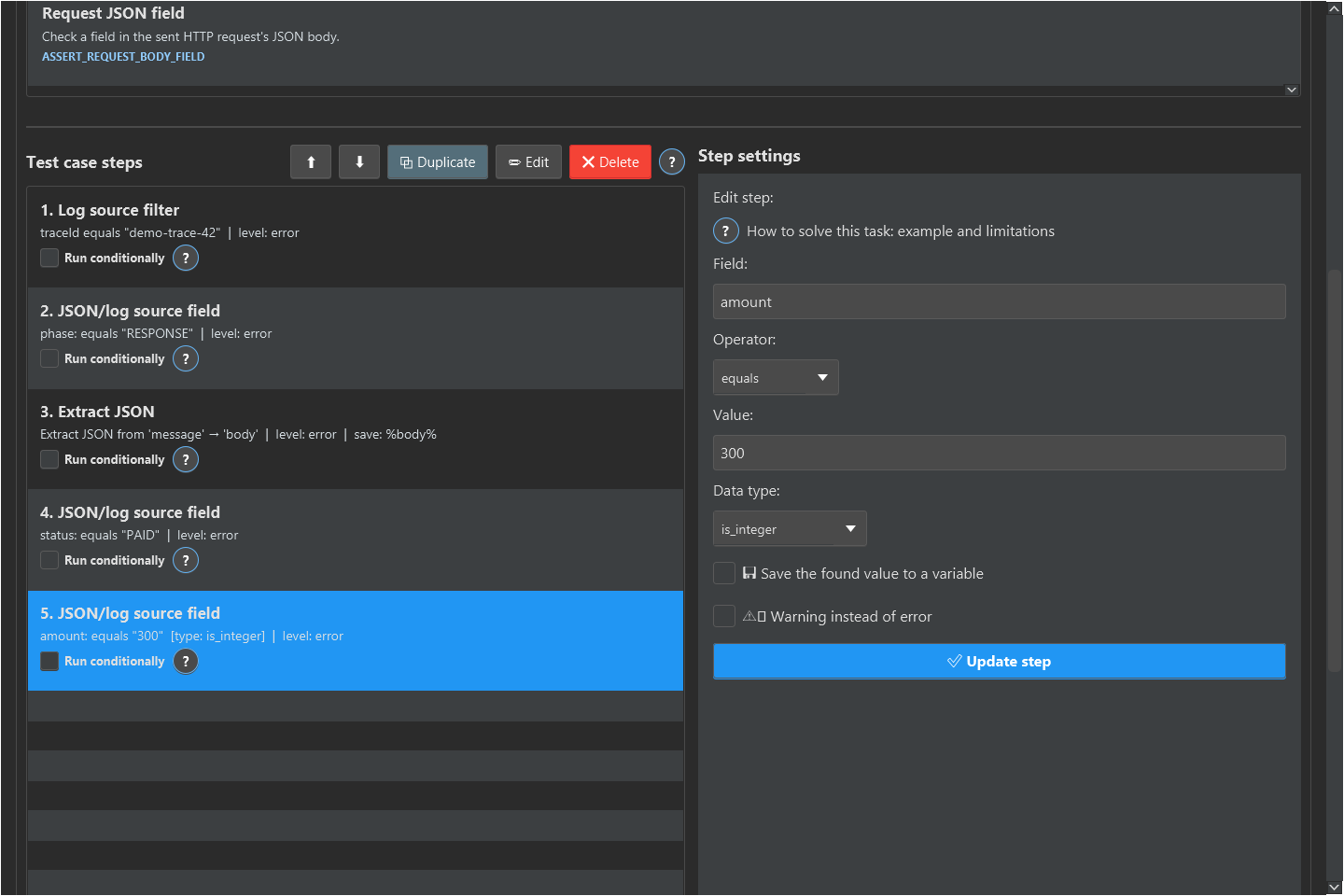
Follow the worked example →Click the screenshot for full size
Expected values are defined in individual steps. The walkthrough includes XML samples and a test case.
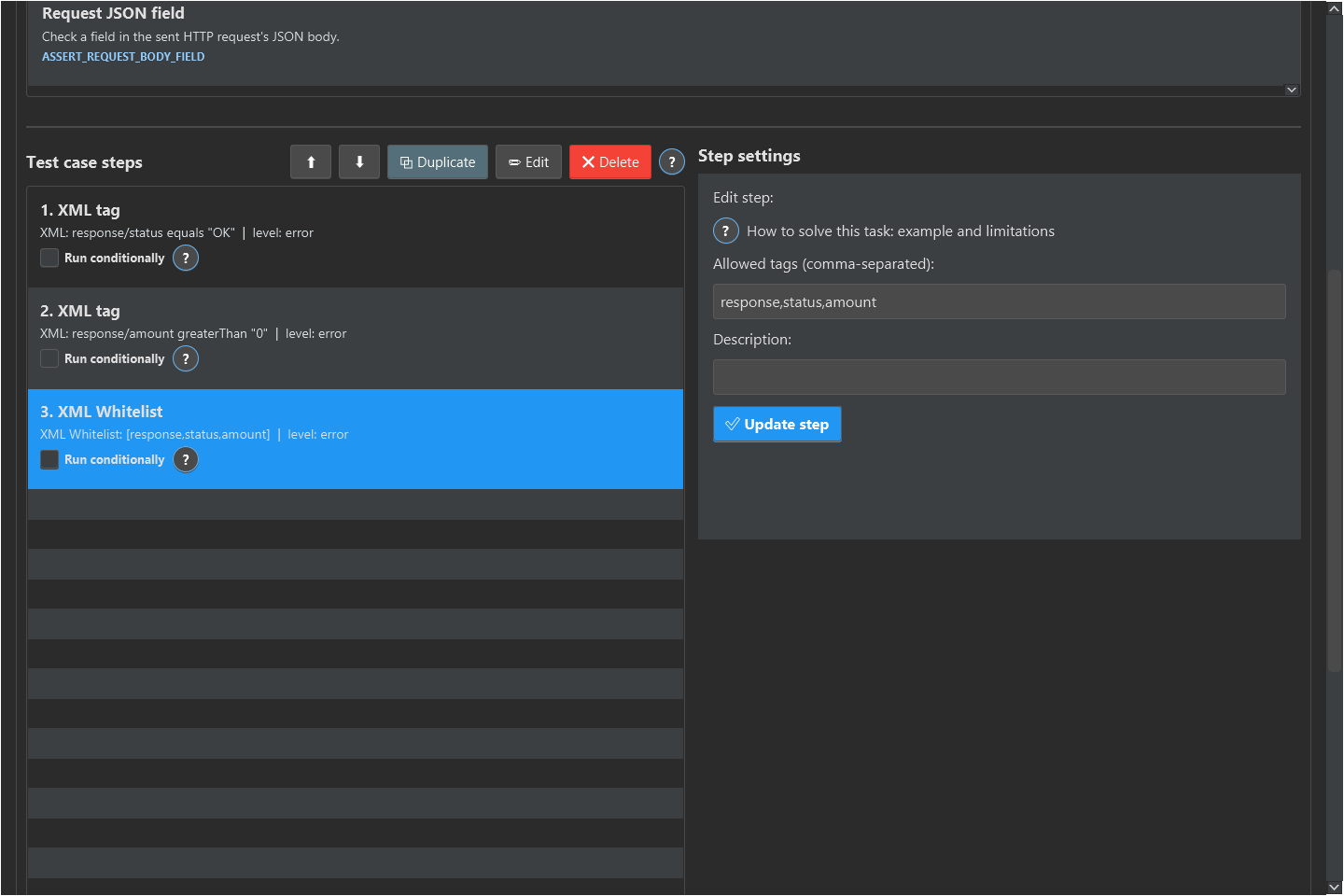
Follow the worked example →Click the screenshot for full size
Prepare a route and response body for your check. This is the configuration screen for a sample mock server.
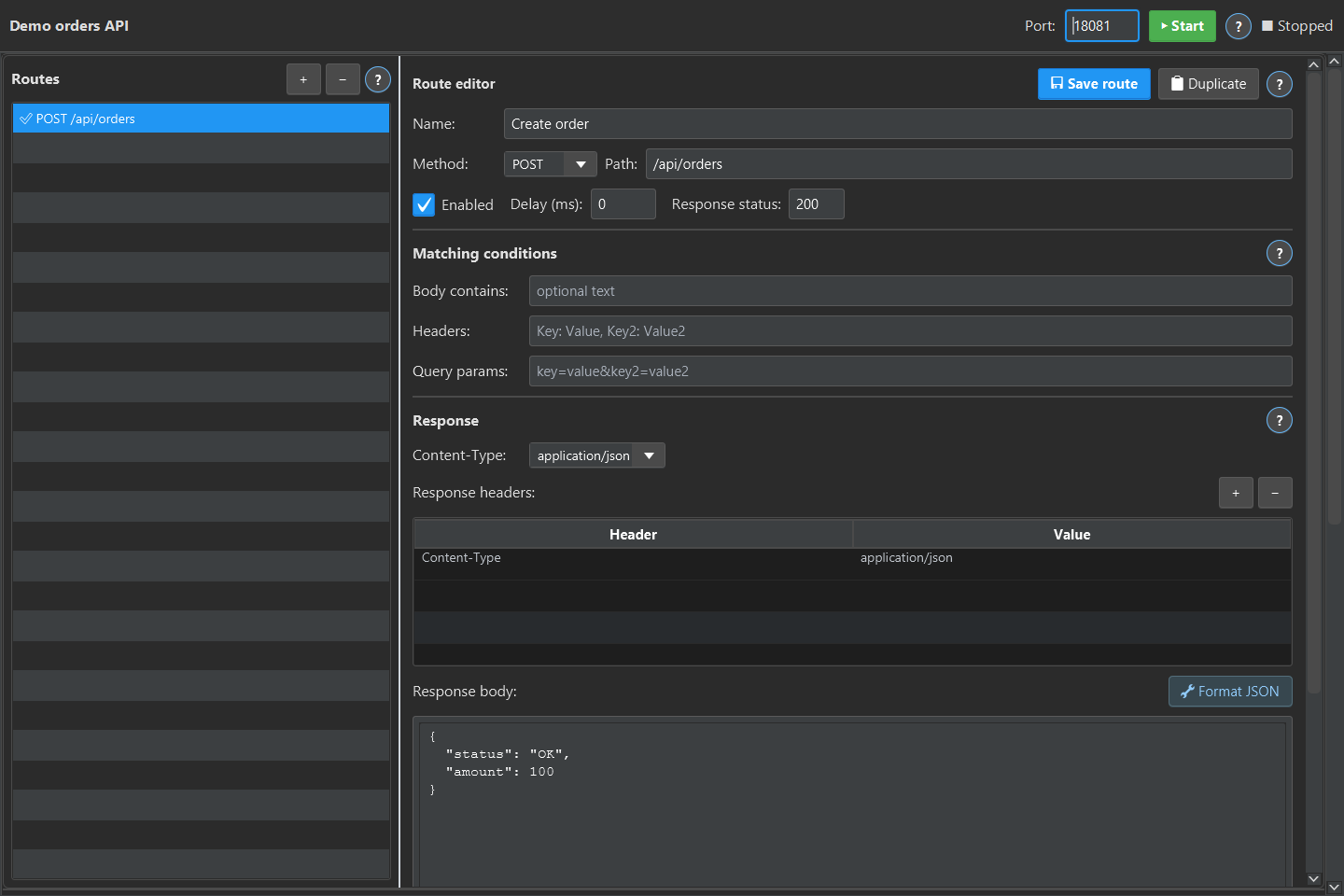
Follow the worked example →Click the screenshot for full size
Select checks and prepare the runner command. The screenshot shows configuration, not a completed Jenkins run.
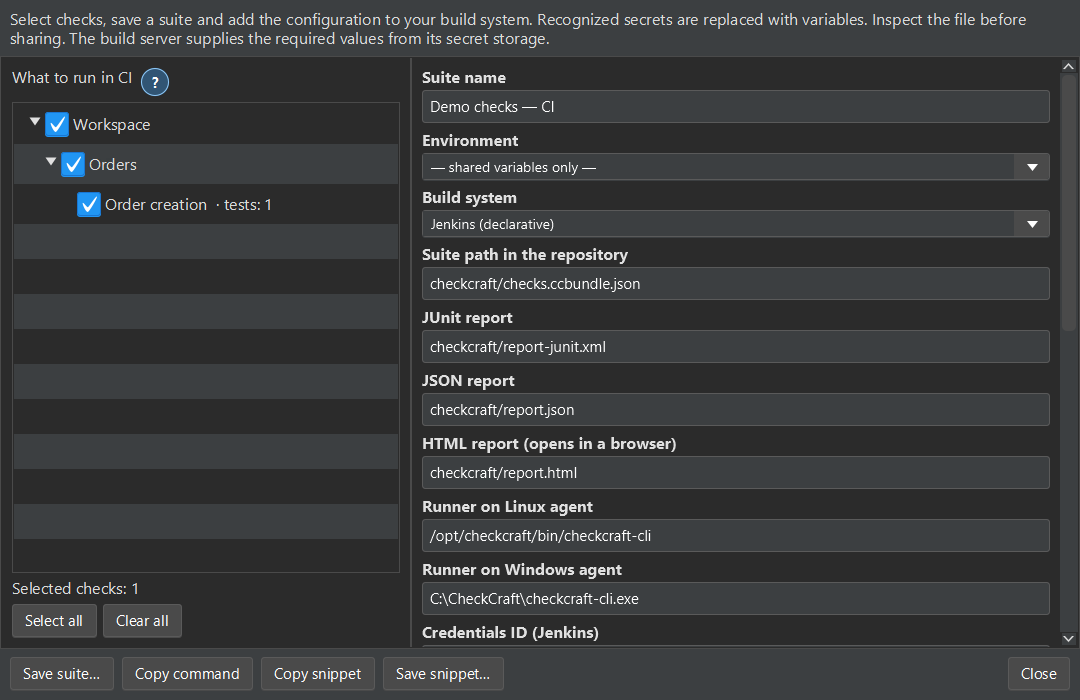
Follow the worked example →Click the screenshot for full size
The sample expects status to be OK. Run the valid input, then change it to ERROR and run the unchanged rule. You can see the exact mismatch before spending time on a real integration.
Open the sample filesSample files are available without registration. Running the desktop app requires a verified account.
[OK] status = 'OK' -> = 'OK'
[FAIL] status = 'ERROR' -> (expected 'OK')
Output from two actual local runs with the same test case.
You will import a test case, run it against two inputs and see the exact field that differs.
Open guide →Practical guideThe downloadable example contains 1000 items. The broken input puts a defect at the end so you can verify that the test reaches it.
Open guide →Practical guideYou can review proposed test cases before adding them, then run the saved rules on passing and deliberately failing data.
Open guide →Practical guideThe request identifier selects the operation to inspect, and saved rules validate fields from the matching log data.
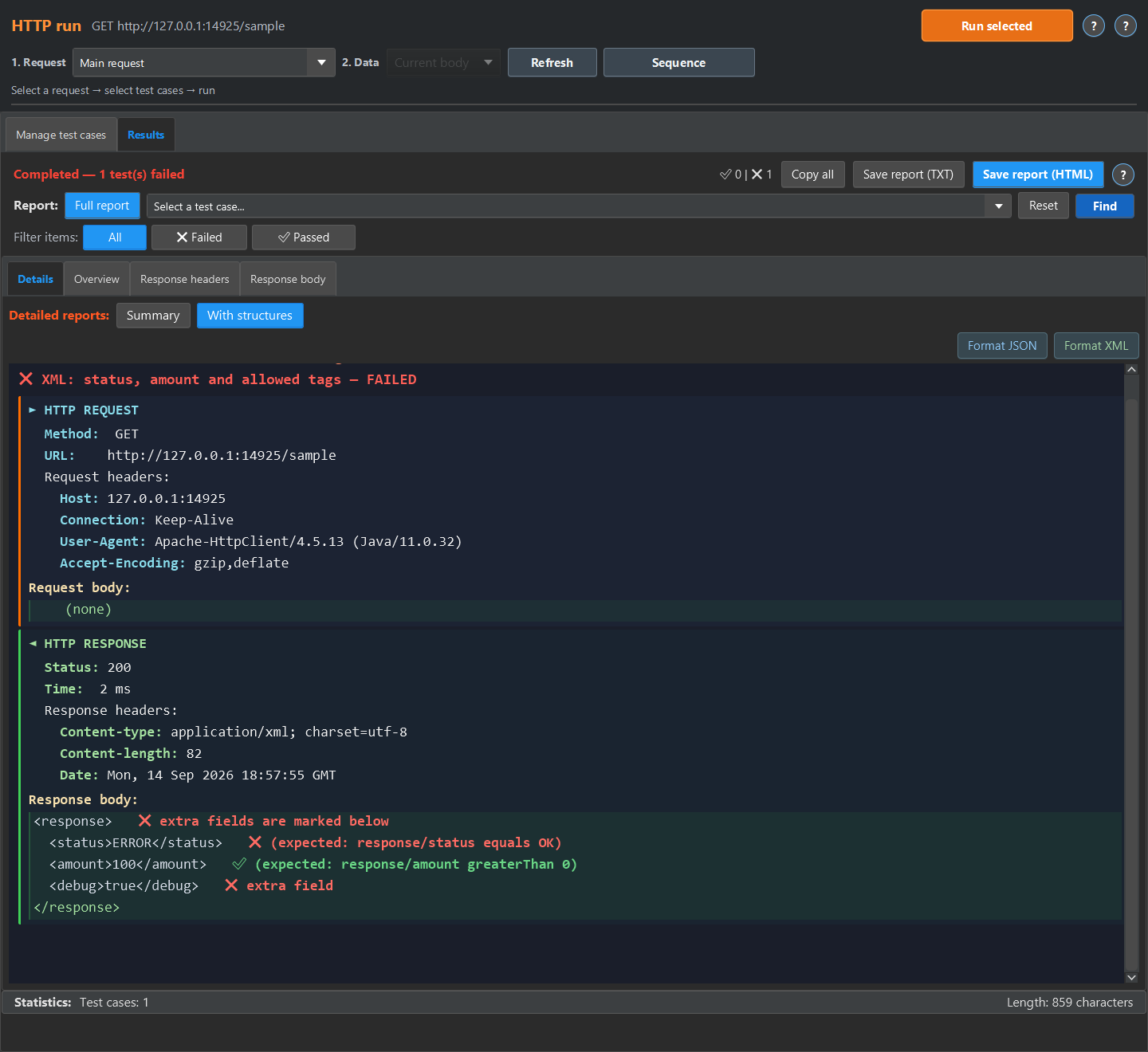
Open guide →Practical guideThe example validates XML content and a tag whitelist. Its broken input makes a saved rule fail.
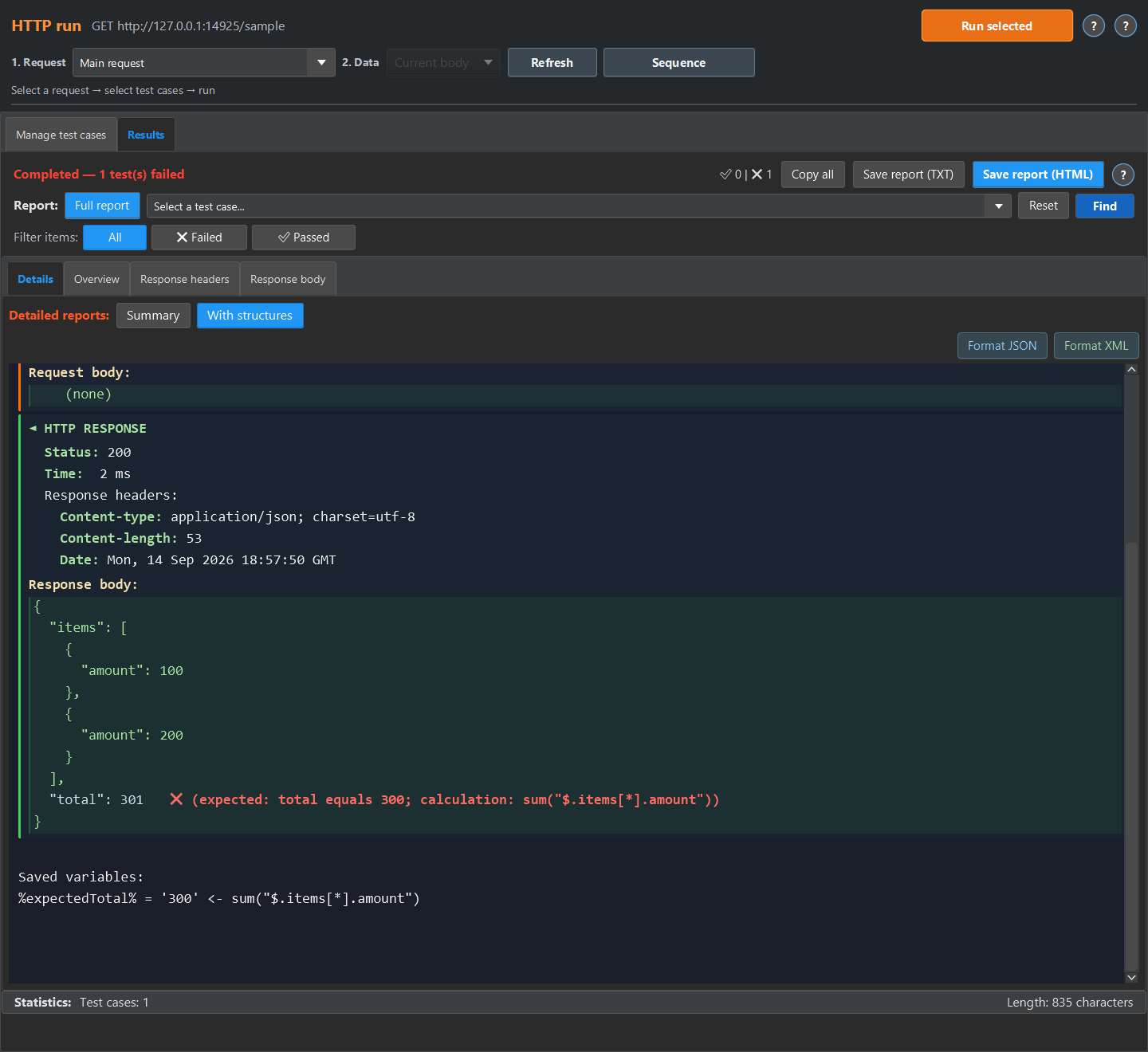
Open guide →Practical guideThe example sums item amounts, stores the expected total in a variable and compares it with the returned total.
Open guide →Postman can send requests and run scripted tests. Checkcraft gives you an editable step-based workflow for response and log checks. Compare the same task in both tools before changing your process.
Compare the workflow →Code gives you flexibility and integration with your existing test suite. Checkcraft can help when teammates need to inspect and change a repeatable check through an interface.
See the CI workflow →Local AI tools can help turn clear examples into editable rules. You still decide the expected behaviour and check the draft. For structured inputs, the parser can create steps without calling the language model.
See an actual generated draft →Checkcraft is a desktop application for Windows 10/11 x64 and Linux x64. The archive includes a runtime and local AI components. Your account shows the current download size.
Download and first-run instructions · Security and data handling
Free has no time limit. Some saved objects, sequences and CI suites have limits. The edition page explains those limits before you choose a workflow.
Start with the sample, inspect the failure and then try a sanitized example from your own API. Free is available for Windows and Linux with no time limit.
Download FreeDownload and first runNo sign-up or email needed, the archive is ready in a couple of minutes. See the edition limits.
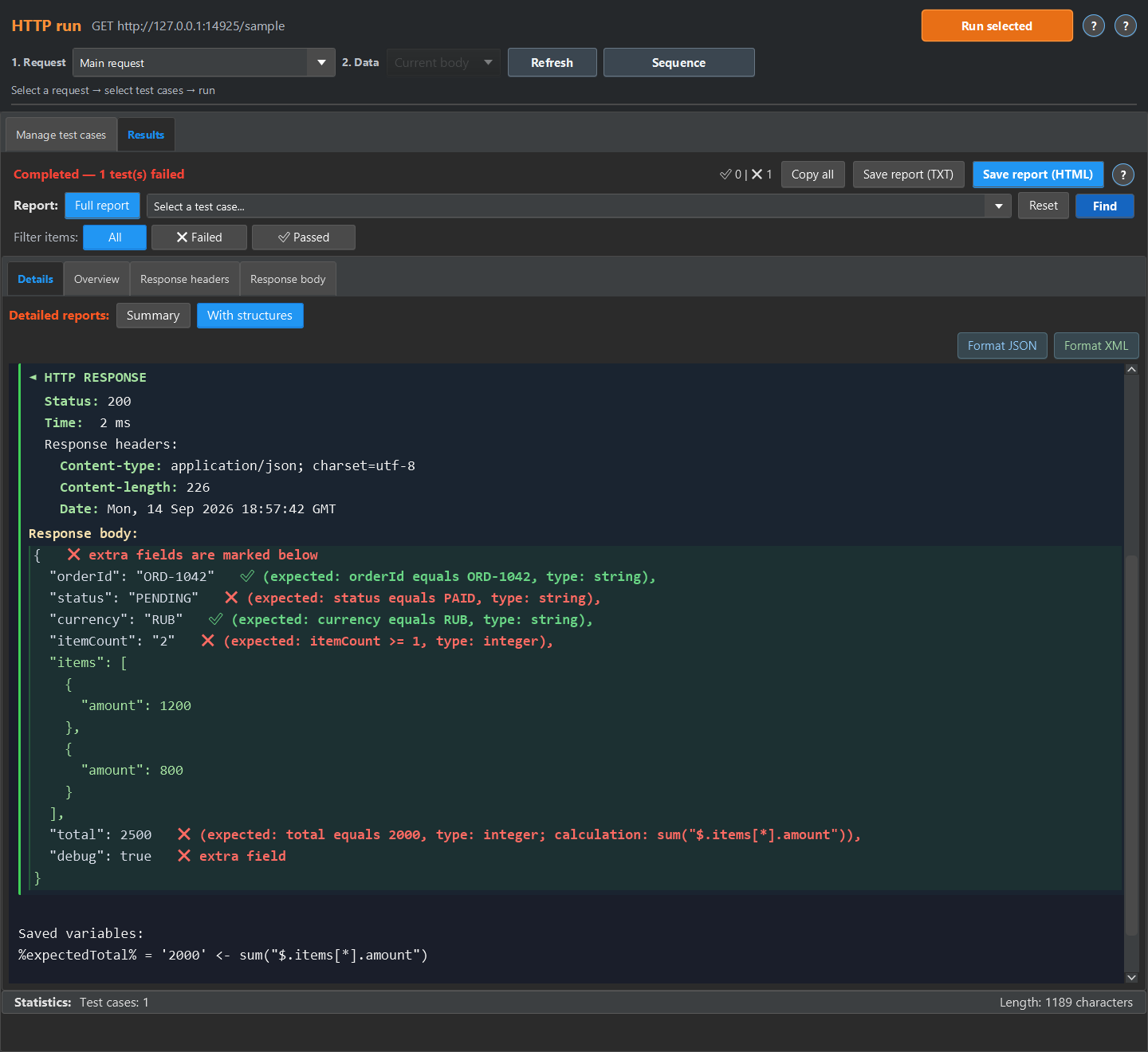
These failures come from actual test-case runs. The detailed report places rules next to the checked values. Click the screenshot to inspect the full screen.
HTTP 200, but the order is not paid, itemCount is a string, debug is unexpected and total is 2500 instead of the calculated 2000. Passed checks remain visible alongside the errors.
Download this report’s test case →Click the screenshot for full size
Sample responses with errors · corrected
Actual detailed HTTP run report with rules next to the checked values. Open the screenshot to see the full run screen. The report is scrolled to items[999], the failing item out of 1,000.
Follow the worked example →Click the screenshot for full size
The record is selected by traceId. Its embedded message JSON contains FAILED instead of PAID, while the amount check passes. Actual detailed Log run report with rules next to the checked values. Open the screenshot to see the full run screen.
Follow the worked example →Click the screenshot for full size
The XML contains ERROR instead of OK and an unexpected debug tag. The amount check passed. Actual detailed HTTP run report with rules next to the checked values. Open the screenshot to see the full run screen.
Follow the worked example →Click the screenshot for full size
The items add up to 300, but total is 301. The formula appears next to the mismatch. Actual detailed HTTP run report with rules next to the checked values. Open the screenshot to see the full run screen.
Follow the worked example →Click the screenshot for full size