 Checkcraft
Create a local API mock server
A mock server can return a response you control while the real dependency is unavailable or a failure is difficult to reproduce. It makes a scenario repeatable.
You can configure a local route, call it from an HTTP request and inspect the incoming request history.
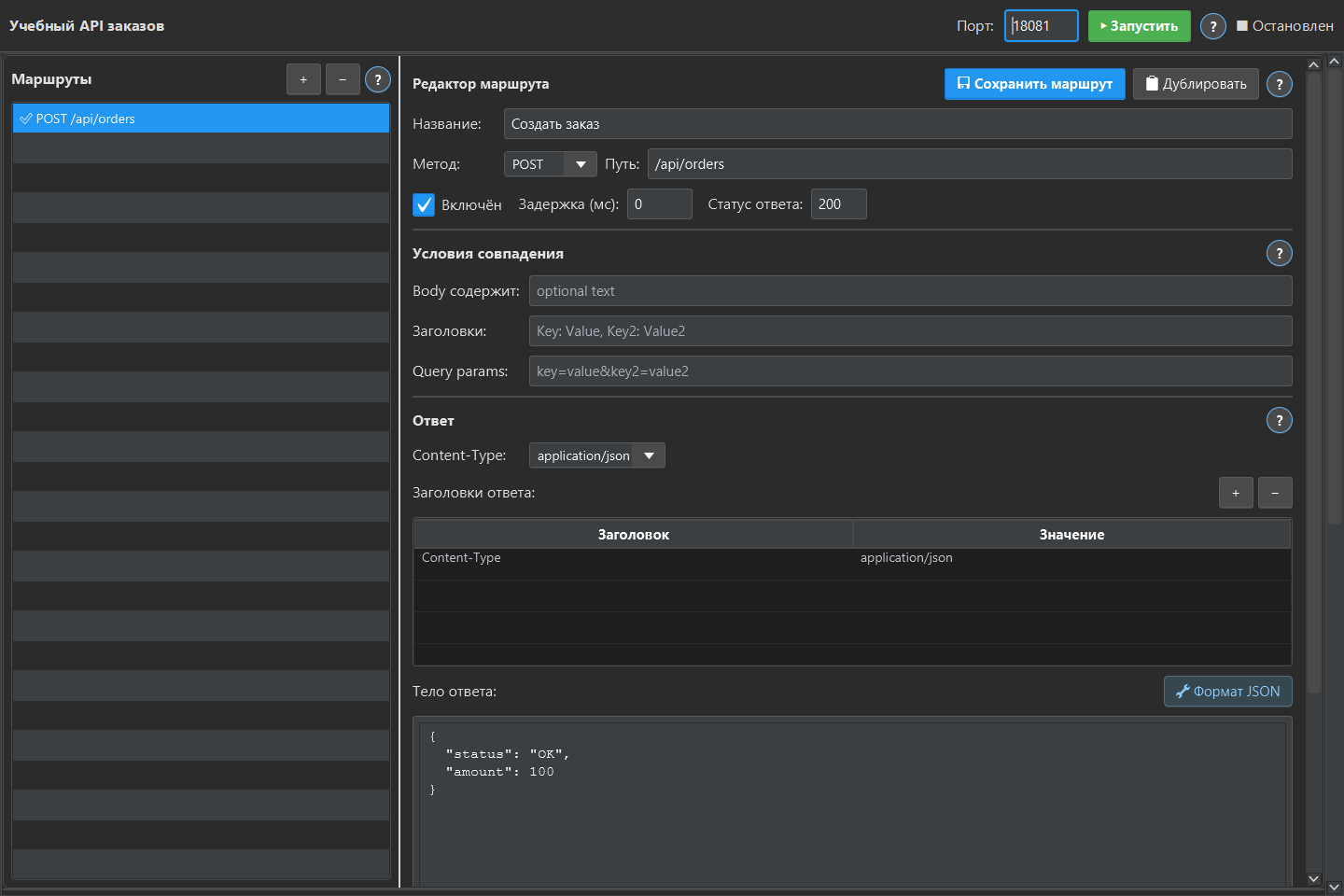
Create the route
Add a mock server, choose a free port and create a route. Set the HTTP method, path, response code, headers and body. Save the route and start the server. Call the mock address from a test client.
Make the scenario deliberate
Return a valid JSON response for the normal case. Create a separate scenario for an error status, invalid business value or delay. If several routes could match, check the actual selected route in the history.
Know what the mock proves
A mock helps test how a client reacts to a response. It does not prove that the real upstream service behaves that way. Keep contract and integration checks against the real test environment as separate evidence.
Repeat the check with ready-made files
Download the Checkcraft test case and two inputs. One input is valid, and the other contains a deliberate error. These synthetic examples are available without registration.
Run the example in Checkcraft
Create a collection, a check and a test case using the workspace tree context menu. Click Import in the test case editor and choose the downloaded test case. Open the added case, copy the valid JSON, click Paste data for analysis, then Run test case. Open Result to inspect the report.
Repeat with the broken JSON without changing the rules. The first run should pass and the second should fail. If you see a different outcome, check the selected data source, imported steps and report.
The example files were executed against the application source on 14 September 2026. Reference reports recorded in Russian are available for the passing run and failing run. Sample names and literal data values do not change when you switch the interface language.
See the result on a small example first
Start with the sample, inspect the failure and then try a sanitized example from your own API. Free (beta) is available for Windows and Linux with no time limit.
Get Free (beta)Download and first runAn account and verified email are required to obtain the build. See the edition limits.