 Checkcraft
Generate test drafts from documentation and screenshots
A copied table can contain the field, type, requirement and expected value. A screenshot can contain the same information, but recognition errors make an extra review necessary.
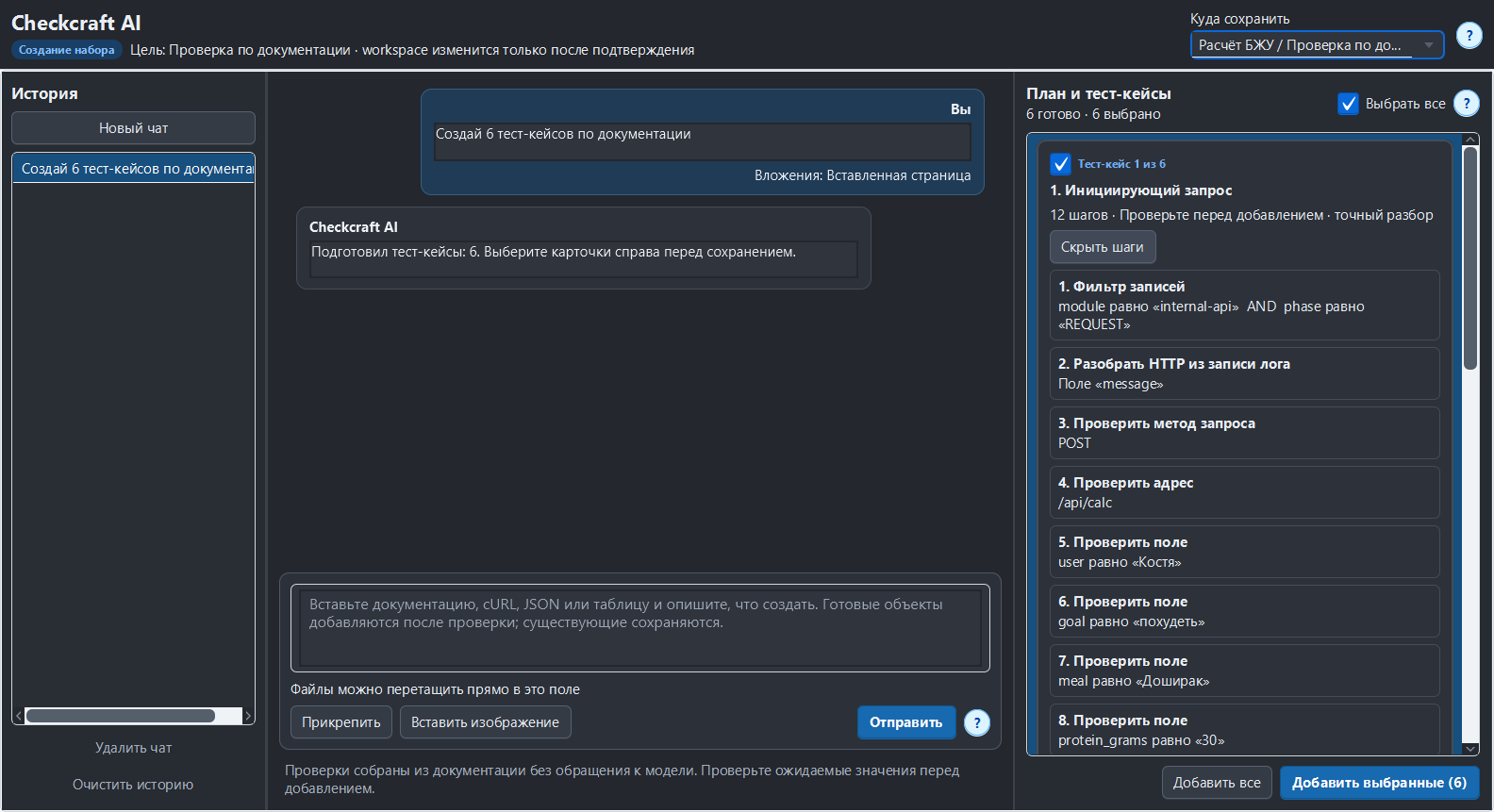
You will check the recognized material, review the proposed steps and prove the resulting test with a deliberate error.
Prefer the original text when available
Copy documentation with its headings and tables or attach a structured example. Describe which operation and result you want tested. For an image, use a readable crop with complete column headings and values rather than a scaled-down screen containing several unrelated sections.
Inspect recognition before generation
Open the recognized material and compare paths, punctuation, numbers and required-field markers with the original. OCR can confuse similar characters or flatten a table. Fix the input before asking the model to reason about it. A recognition percentage is not a guarantee that each important value is correct.
Separate requirements from suggestions
Check that generated expected values come from your input. Review the selected step types and target location, then add the drafts. If the source lacks an expected result, state it explicitly. For large objects, define which paths, fields and array elements are in scope instead of relying on an unspecified request to check everything.
Repeat the check with ready-made files
Download the Checkcraft test case and two inputs. One input is valid, and the other contains a deliberate error. These synthetic examples are available without registration.
Run the example in Checkcraft
Create a collection, a check and a test case using the workspace tree context menu. Click Import in the test case editor and choose the downloaded test case. Open the added case, copy the valid JSON, click Paste data for analysis, then Run test case. Open Result to inspect the report.
Repeat with the broken JSON without changing the rules. The first run should pass and the second should fail. If you see a different outcome, check the selected data source, imported steps and report.
The example files were executed against the application source on 14 September 2026. Reference reports recorded in Russian are available for the passing run and failing run. Sample names and literal data values do not change when you switch the interface language.
See the result on a small example first
Start with the sample, inspect the failure and then try a sanitized example from your own API. Free (beta) is available for Windows and Linux with no time limit.
Get Free (beta)Download and first runAn account and verified email are required to obtain the build. See the edition limits.