 Checkcraft
Create API test drafts with local AI
Checkcraft AI can help turn examples and requirements into a draft. Its output is a starting point that you can inspect, not evidence that the API is correct.
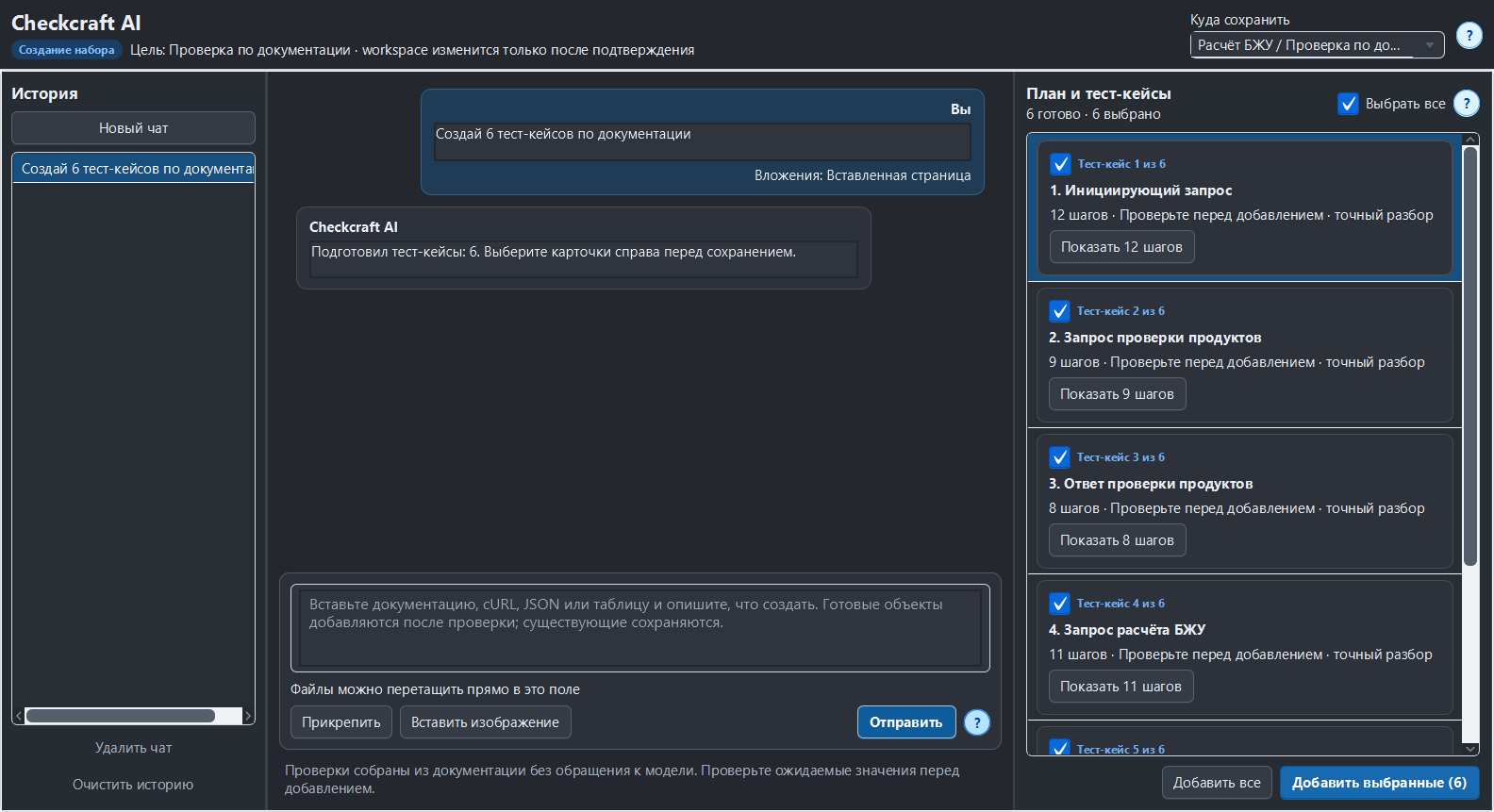
You can review proposed test cases before adding them, then run the saved rules on passing and deliberately failing data.
Provide structured source material
Paste documentation, a cURL request, JSON or a clear table and state what you want checked. Include expected results when they are not obvious from the contract. Prefer text over a screenshot when you can copy the original, because OCR can misread paths and values.
Review the proposed objects
Read the target location, test names, step types, paths, operators and expected values. Add the selected drafts after review. Do not accept a guessed requirement just because a generated test runs successfully. If a capability is unsupported, use an explicit supported rule or revise the requirement.
Separate generation from execution
The bundled language model runs locally. A saved test is evaluated by the test engine. AI does not decide that a test passed. A configured HTTP request or log source still connects to its target system, so local AI does not mean every application feature is offline.
Repeat the check with ready-made files
Download the Checkcraft test case and two inputs. One input is valid, and the other contains a deliberate error. These synthetic examples are available without registration.
Run the example in Checkcraft
Create a collection, a check and a test case using the workspace tree context menu. Click Import in the test case editor and choose the downloaded test case. Open the added case, copy the valid JSON, click Paste data for analysis, then Run test case. Open Result to inspect the report.
Repeat with the broken JSON without changing the rules. The first run should pass and the second should fail. If you see a different outcome, check the selected data source, imported steps and report.
The example files were executed against the application source on 14 September 2026. Reference reports recorded in Russian are available for the passing run and failing run. Sample names and literal data values do not change when you switch the interface language.
See the result on a small example first
Start with the sample, inspect the failure and then try a sanitized example from your own API. Free (beta) is available for Windows and Linux with no time limit.
Get Free (beta)Download and first runAn account and verified email are required to obtain the build. See the edition limits.