 Checkcraft
API testing software without writing code
A successful HTTP request is only the start of a check. You may still need to inspect fields, recalculate a total and find the same operation in the logs. Checkcraft lets you save these checks and repeat them when the service changes.
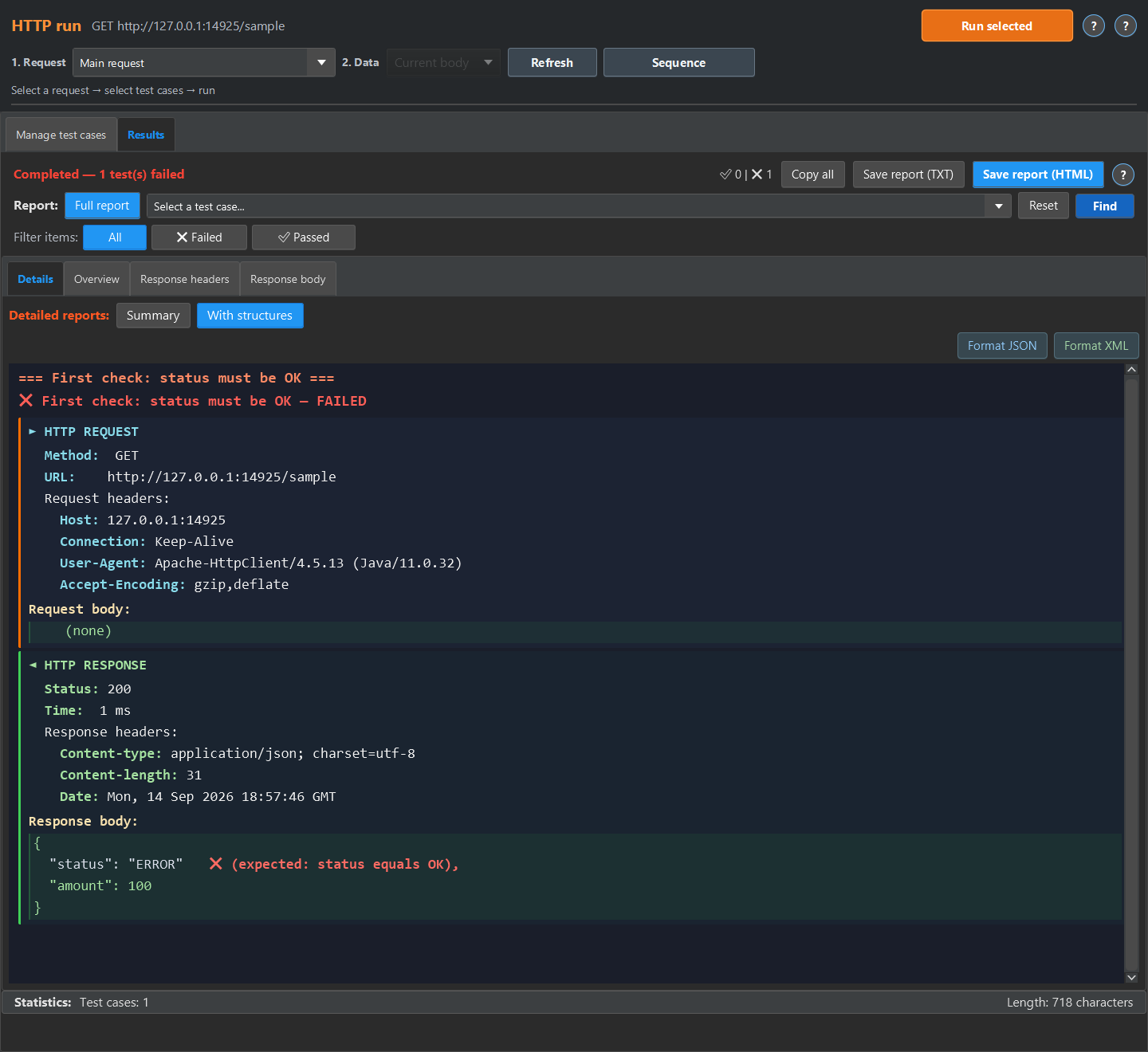
The example expects status to be OK. A second input changes it to ERROR and the same test fails. You can try this without connecting to a working API.
Start with a result you can verify
Download the test case and both JSON inputs below. Import the test, paste the valid input and run it. Repeat with the deliberately broken input. This shows what the saved rule checks before you configure authentication or a log source.
Move from a file to an HTTP response
Create an HTTP request inside a check. Enter its method, URL, headers and body. Use an HTTP run to send the request and execute selected test cases. Response status checks the HTTP status, while JSON response field checks a value inside the response body.
What the free edition includes
Free has no time limit. No sign-up or email needed to download the build. Object limits and the planned Pro capabilities are listed on the pricing page. Windows and Linux builds run locally as desktop applications.
Repeat the check with ready-made files
The quick experiment below runs in the test case editor. The screenshots show the detailed report available in HTTP run or Log run. For HTTP run, return the sample JSON or XML from a local mock and run the imported case against it, then open Results, Details and With structures. For Log run, load the sample into a log source, enable No request, run the case, then open Details and Detailed.
Download the Checkcraft test case and two inputs. One input is valid, and the other contains a deliberate error. These synthetic examples are available without registration.
Run the example in Checkcraft
Create a collection, a check and a test case using the workspace tree context menu. Click Import in the test case editor and choose the downloaded test case. Open the added case, copy the valid JSON, click Paste data for analysis, then Run test case. Open Result to inspect the report.
Repeat with the broken JSON without changing the rules. The first run should pass and the second should fail. If you see a different outcome, check the selected data source, imported steps and report.
The example files were executed against the application source on 14 September 2026. Reference reports in English are available for the passing run and failing run. Sample names and literal data values do not change when you switch the interface language.
Choose a workflow for your role
A manual tester can start with a saved no-code assertion. A systems analyst can verify a calculation against requirements. Backend and frontend developers can inspect HTTP responses, while integration engineers can follow a cross-system operation.
See the result on a small example first
Start with the sample, inspect the failure and then try a sanitized example from your own API. Free is available for Windows and Linux with no time limit.
Download FreeDownload and first runNo sign-up or email needed, the archive is ready in a couple of minutes. See the edition limits.