 Checkcraft
API test automation for manual testers without code
Get help with your first test →
After each change, you open the response and check status by eye again. Start with a saved rule that another tester can repeat.
Choose a testable requirement
In this exercise, status must be the string OK. Record that expectation before opening the passing sample. The rule comes from a requirement, not from whichever response happens to arrive. Automation still depends on this testing decision.
{"status":"OK","amount":100}Save the first test without scripting
Create a collection, a check and a test case in the workspace tree. Import the supplied test-case file in the editor. Open it, paste the passing JSON for analysis and run the test case. The assertion should pass.
Prove that the rule detects failure
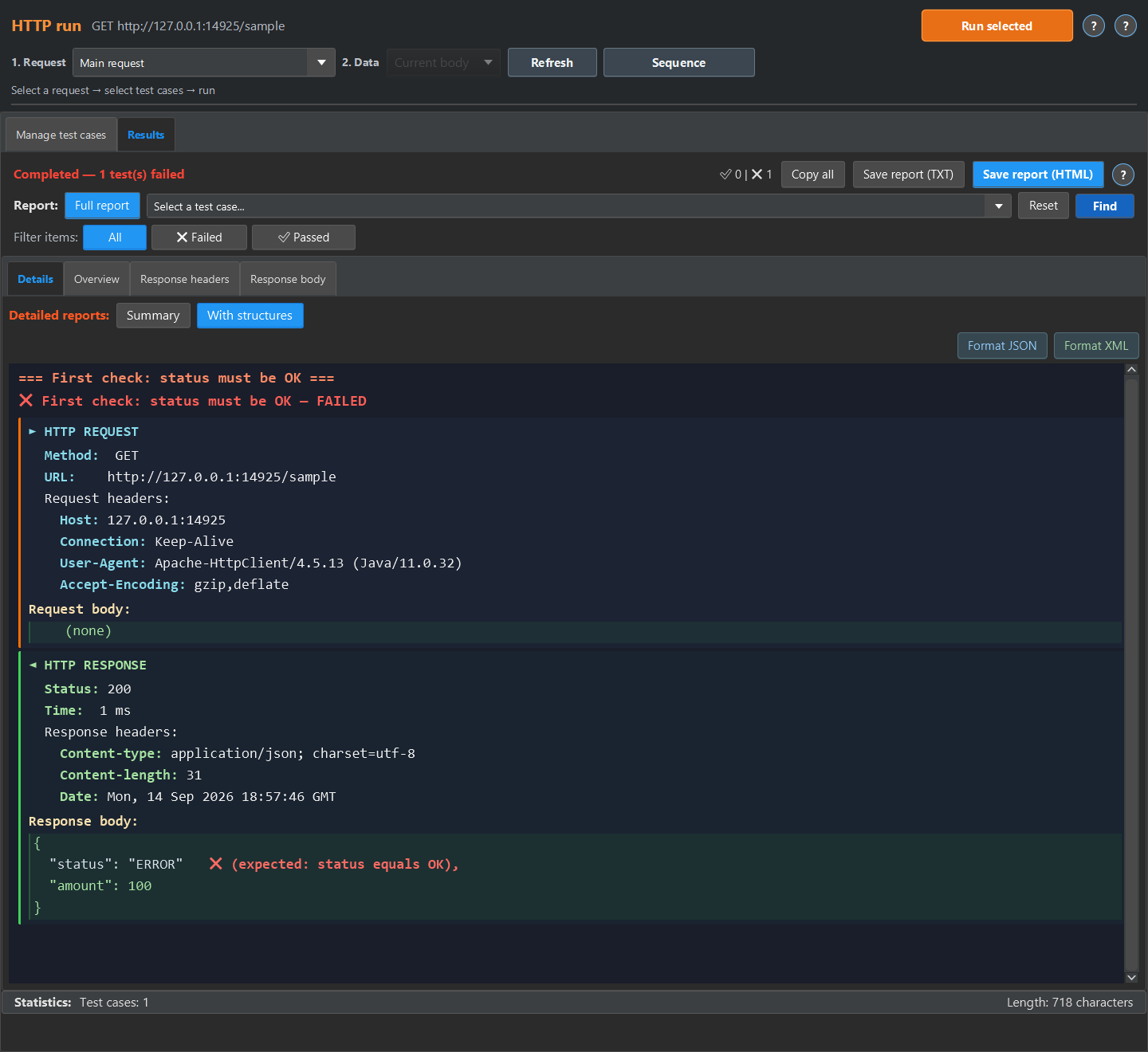
Use the sample containing ERROR without changing the rule. It should fail. If both samples pass, check the selected test and data source. Sending a request and verifying its result are separate activities.
Apply the method to a real request
Save a request to a test environment and add an HTTP response field assertion. Extend it with types, required fields and calculations. Postman, AI and code-based tests can also help. Apply the same deliberate-failure check to their rules. Requirements still need human review.
Repeat the sample
The quick experiment below runs in the test case editor. The screenshots show the detailed report available in HTTP run or Log run. For HTTP run, return the sample JSON or XML from a local mock and run the imported case against it, then open Results, Details and With structures. For Log run, load the sample into a log source, enable No request, run the case, then open Details and Detailed.
These are existing synthetic fixtures and captured text reports, not a customer deployment.
Start with the linked example and compare its result with your own test requirement.