 Checkcraft
Create XML response tests without code
An XML response may have the right outer shape while containing an incorrect value or an unexpected element. A useful test checks both the required content and the relevant structure.
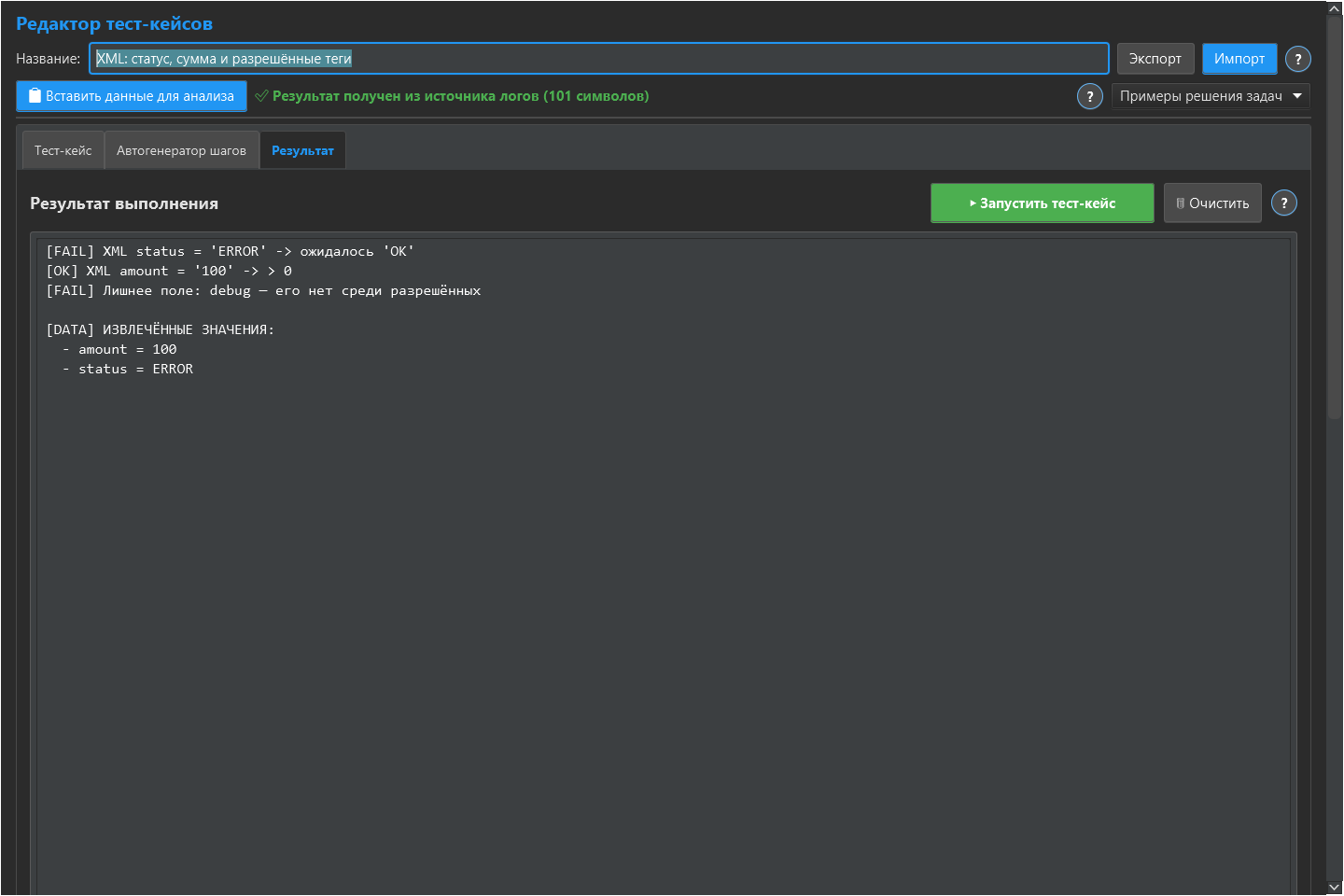
The example validates XML content and a tag whitelist. Its broken input makes a saved rule fail.
Choose the correct XML source
For XML inside a log entry, first locate the field that holds the XML. An XML tag check uses a tag path such as data/id. The ForEach XML step uses XPath to select repeated nodes. These are different inputs; follow the selected step’s help.
Check values and allowed tags separately
Add a value rule for a required tag, then use XML Whitelist for allowed child tags at the relevant node. A whitelist alone does not require every listed tag to exist. Add explicit rules for required content.
Exercise repeated nodes
When several item nodes are returned, use a loop and put the item checks after it. Place an invalid value in a later node to verify that the test inspects more than the first match. Keep the sample representative of namespaces and nesting used by your actual service.
Repeat the check with ready-made files
Download the Checkcraft test case and two inputs. One input is valid, and the other contains a deliberate error. These synthetic examples are available without registration.
Run the example in Checkcraft
Create a collection, a check and a test case using the workspace tree context menu. Click Import in the test case editor and choose the downloaded test case. Open the added case, copy the valid JSON, click Paste data for analysis, then Run test case. Open Result to inspect the report.
Repeat with the broken JSON without changing the rules. The first run should pass and the second should fail. If you see a different outcome, check the selected data source, imported steps and report.
The example files were executed against the application source on 14 September 2026. Reference reports recorded in Russian are available for the passing run and failing run. Sample names and literal data values do not change when you switch the interface language.
See the result on a small example first
Start with the sample, inspect the failure and then try a sanitized example from your own API. Free (beta) is available for Windows and Linux with no time limit.
Get Free (beta)Download and first runAn account and verified email are required to obtain the build. See the edition limits.