 Checkcraft
HTTP 200 but the result is wrong
HTTP 200 tells you about the HTTP exchange. It does not prove that an order was paid, a discount was correct or the next service completed its work.
The example changes a business status while keeping the test itself unchanged, showing why response fields need their own rules.
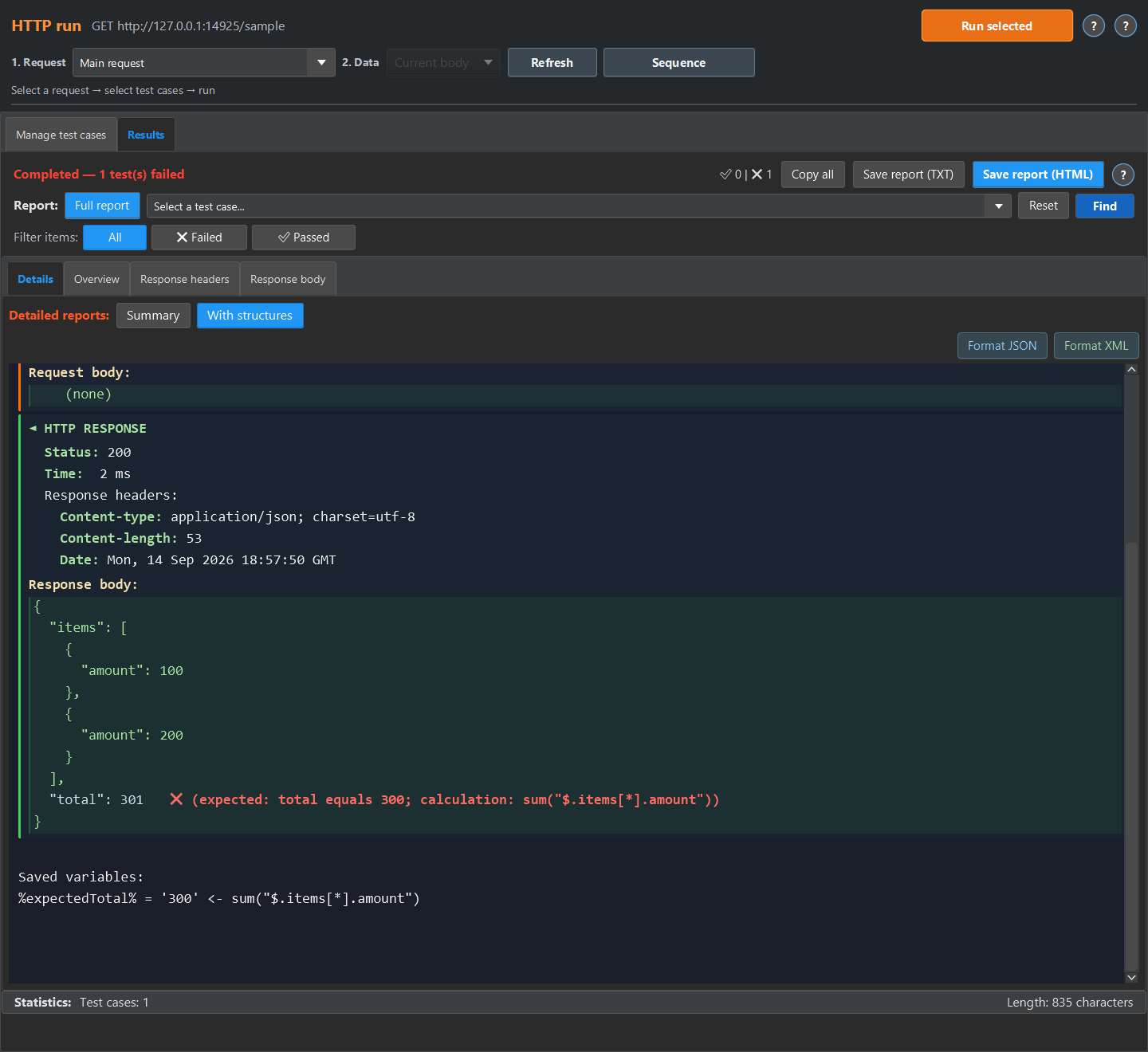
Separate transport status from business outcome
Keep a Response status step for the expected HTTP code. Add a JSON response field step for the business status or identifier. If success requires both, the test should explicitly check both.
Check the values that matter to the operation
A total, currency, result status or payment reference can carry more useful evidence than the status code alone. Use the documented requirement as the expected value. Do not assume a non-empty response means success.
Follow the operation into the logs when needed
For an operation that continues across services, find matching logs by traceId and validate the event that proves the next stage completed. Define the expected event and timing for your own system. A missing event should not be treated as proof of success.
Repeat the check with ready-made files
The quick experiment below runs in the test case editor. The screenshots show the detailed report available in HTTP run or Log run. For HTTP run, return the sample JSON or XML from a local mock and run the imported case against it, then open Results, Details and With structures. For Log run, load the sample into a log source, enable No request, run the case, then open Details and Detailed.
Download the Checkcraft test case and two inputs. One input is valid, and the other contains a deliberate error. These synthetic examples are available without registration.
Run the example in Checkcraft
Create a collection, a check and a test case using the workspace tree context menu. Click Import in the test case editor and choose the downloaded test case. Open the added case, copy the valid JSON, click Paste data for analysis, then Run test case. Open Result to inspect the report.
Repeat with the broken JSON without changing the rules. The first run should pass and the second should fail. If you see a different outcome, check the selected data source, imported steps and report.
The example files were executed against the application source on 14 September 2026. Reference reports in English are available for the passing run and failing run. Sample names and literal data values do not change when you switch the interface language.
See the result on a small example first
Start with the sample, inspect the failure and then try a sanitized example from your own API. Free is available for Windows and Linux with no time limit.
Download FreeDownload and first runNo sign-up or email needed, the archive is ready in a couple of minutes. See the edition limits.