 Checkcraft
Configure API request authentication
An authentication failure should be diagnosed from the request that was actually sent. A token in a settings field is not enough if it is missing, expired or formatted incorrectly in the outgoing header.
You will inspect the configured authentication and response status before adding business-result checks.
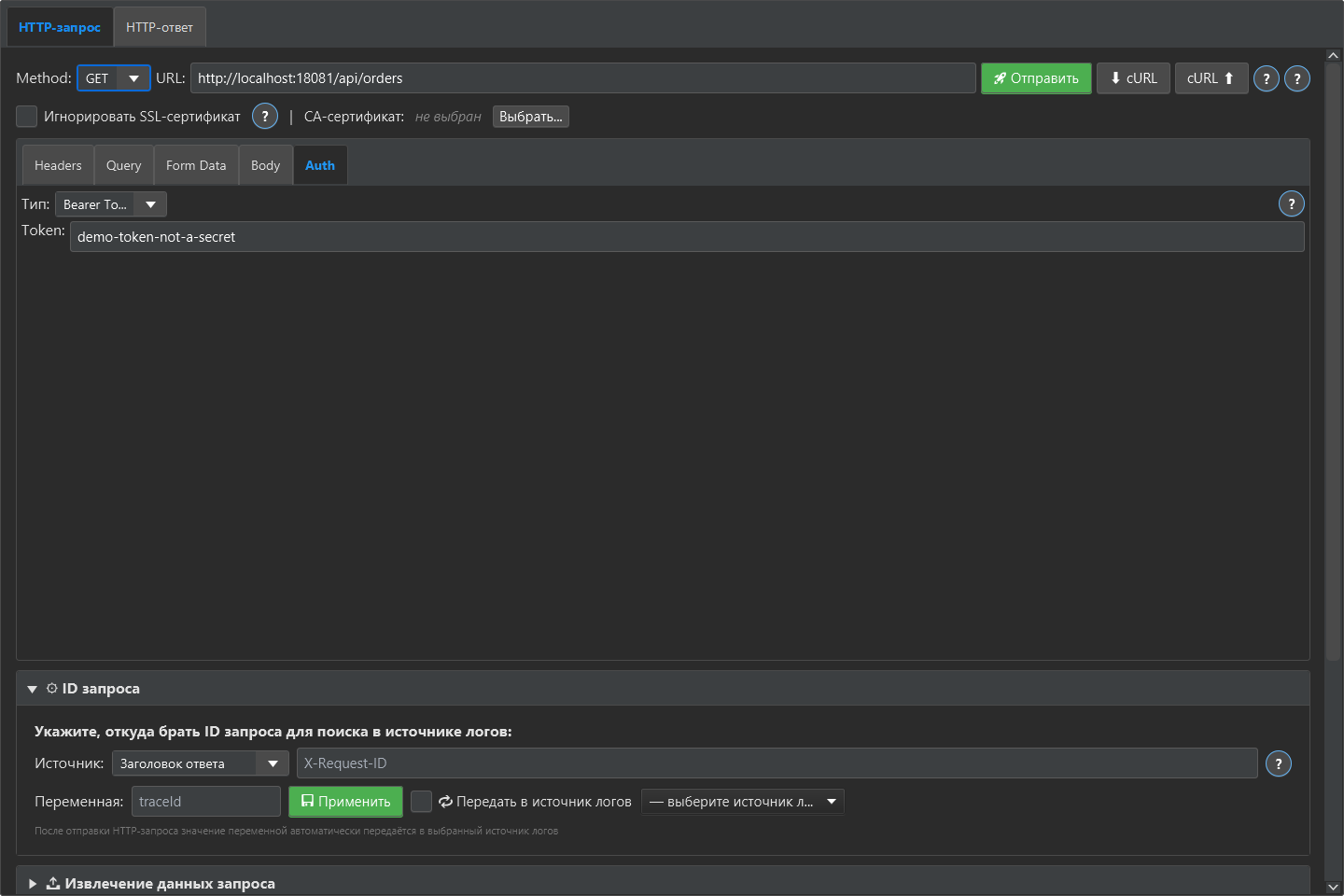
Use the scheme required by the API
Select the authentication settings supported by your API or set the required header. For a Bearer token, check the header name and prefix. Avoid sending two conflicting Authorization headers from different configuration sections.
Keep environment values separate
Store environment-specific values in the appropriate variables and verify the active environment. Use test credentials for examples. Be careful when exporting requests or reports because a header or body may contain a secret.
Check the actual failure
A 401 response commonly requires checking credentials; a 403 can mean access was refused even when authentication was recognized. Read your API’s documented error response. Do not turn off certificate validation to fix an authorization problem.
Repeat the check with ready-made files
Download the Checkcraft test case and two inputs. One input is valid, and the other contains a deliberate error. These synthetic examples are available without registration.
Run the example in Checkcraft
Create a collection, a check and a test case using the workspace tree context menu. Click Import in the test case editor and choose the downloaded test case. Open the added case, copy the valid JSON, click Paste data for analysis, then Run test case. Open Result to inspect the report.
Repeat with the broken JSON without changing the rules. The first run should pass and the second should fail. If you see a different outcome, check the selected data source, imported steps and report.
The example files were executed against the application source on 14 September 2026. Reference reports recorded in Russian are available for the passing run and failing run. Sample names and literal data values do not change when you switch the interface language.
See the result on a small example first
Start with the sample, inspect the failure and then try a sanitized example from your own API. Free (beta) is available for Windows and Linux with no time limit.
Get Free (beta)Download and first runAn account and verified email are required to obtain the build. See the edition limits.